
How to Use Perplexity Deep Research for Everyday Questions and Comparisons
Technology news
Step-by-step guide on enabling Perplexity Deep Research on web and mobile apps, drafting structured prompts, verifying citations, and exporting reports as PDF, DOCX, or Markdown, based on Online Tech Tips reporting.
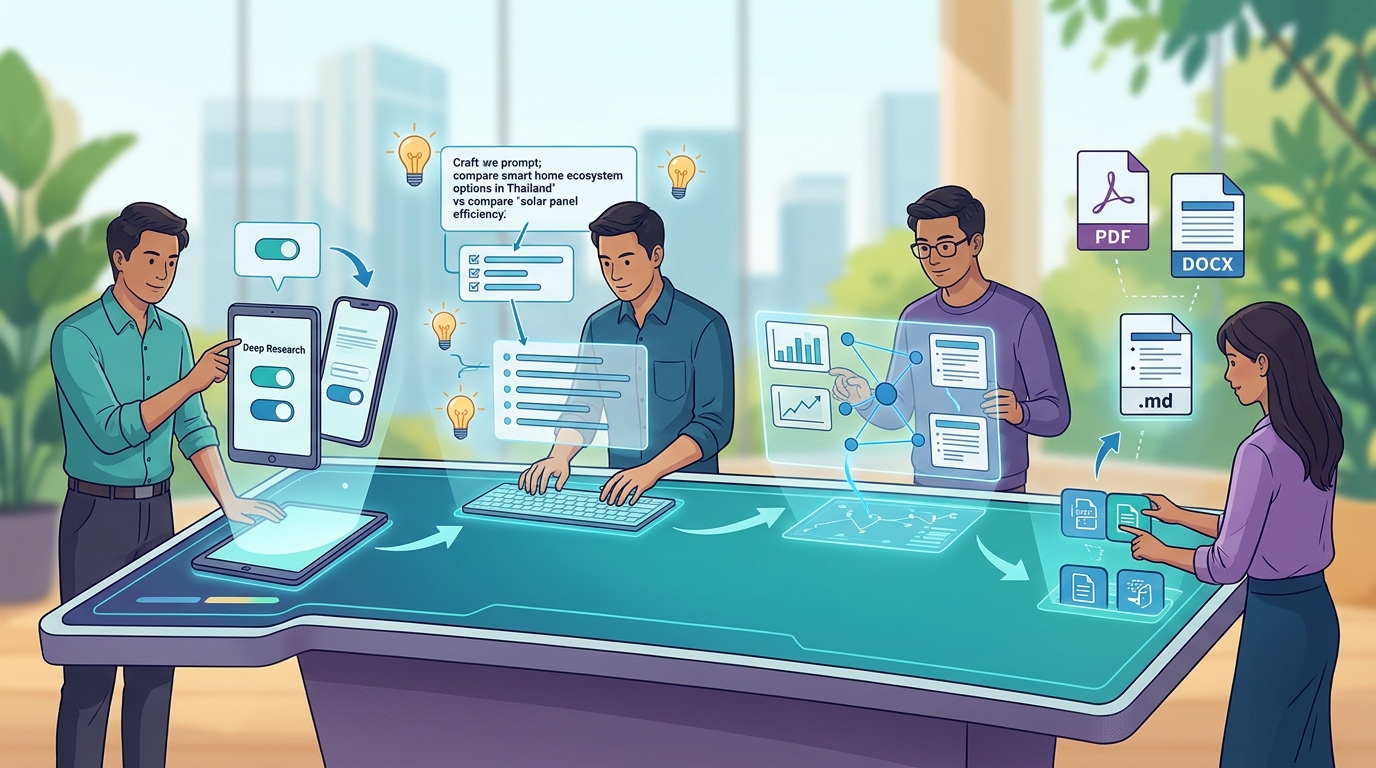
Core Steps to Run Perplexity Deep Research
When asking broad or multi-variable questions—such as comparing product models across multiple reviews or organizing a multi-city travel itinerary—a standard search query often returns brief answers with limited links. Perplexity Deep Research addresses this by executing multi-step searches, parsing numerous sources, cross-checking findings, and compiling a structured report complete with numbered citations linked to original sources.
To initiate standard Deep Research, complete the following sequence:
- Sign in to your Perplexity account to ensure query usage tracks properly against your tier.
- In the search input box, click or tap the plus (+) icon and select "Deep Research" from the menu. On the web interface, you can alternatively type
/directly into the search bar and pick it from the list. - Enter your specific research query and submit it.
- Wait for processing to complete. Perplexity notes that execution takes a few minutes, with complex queries taking longer.
On the official iOS and Android mobile apps, the process is identical: sign in with the same account, tap the (+) icon in the search bar, select Deep Research, and send the prompt.
Prompt Structuring, Source Verification, and Exporting
To prevent generic report formats, a prompt should provide four distinct components: the decision goal, boundaries (such as budget, travel dates, or mandatory features), specific items or criteria to compare, and the desired format (such as a comparison table or day-by-day plan). Instructing the tool to explicitly highlight areas where reviewers disagree prevents conflicting evidence from being smoothed over.
Once the report finishes, evaluate the output through the following steps:
- Review the numbered citation markers attached to key assertions. Uncited assertions warrant additional manual verification.
- Click or tap any marker to inspect the cited title and destination URL.
- Open two to three sources backing high-impact claims—such as pricing, rules, or safety guidelines—to verify that the source document accurately matches the report's text.
For archival or sharing, the web interface provides export options. Users can download the report as Markdown or export it directly as a PDF or DOCX file from the finished report screen.
Practical Use Cases and Subscription Tier Scope
Deep Research is suited for multi-faceted topics requiring synthesis across conflicting web pages. Conversely, it is excessive for basic single-fact lookups (such as store hours or unit conversions), definitions, or live data like scores and weather headlines, where standard search responds in seconds without consuming research limits.
Regarding availability, Perplexity's pricing structure includes Deep Research in Pro and Max subscriptions, with Max receiving higher usage limits. Free accounts receive only a small, limited query allowance. Furthermore, the specialized Deep Research experience inside Perplexity's "Computer" feature—which integrates connected applications and file-building tools—is currently a web-only feature restricted to Pro and Max tiers.
Limitations, Usage Pitfalls, and Operational Caveats
Users should keep several operational limitations and caveats in mind:
- Factual Fallibility: AI-compiled reports may still contain errors despite citations. High-stakes inquiries regarding medical, financial, or legal matters must serve only as preliminary starting points and require verification with qualified professionals.
- Unexpected Credit Consumption: Inside the Perplexity Computer feature specifically, manually selecting a model or adjusting effort levels in follow-up queries consumes paid credits rather than plan-included usage limits. Retaining automatic model selection avoids unexpected credit drawdowns.
- Interface Variations: Menus in desktop or mobile apps may differ slightly from the web interface. If export formats or specific research toggles are missing on an app, run the query directly via a web browser.
Source Citation: Online Tech Tips (https://www.online-tech-tips.com/how-to-use-perplexity-deep-research-everyday-questions/)