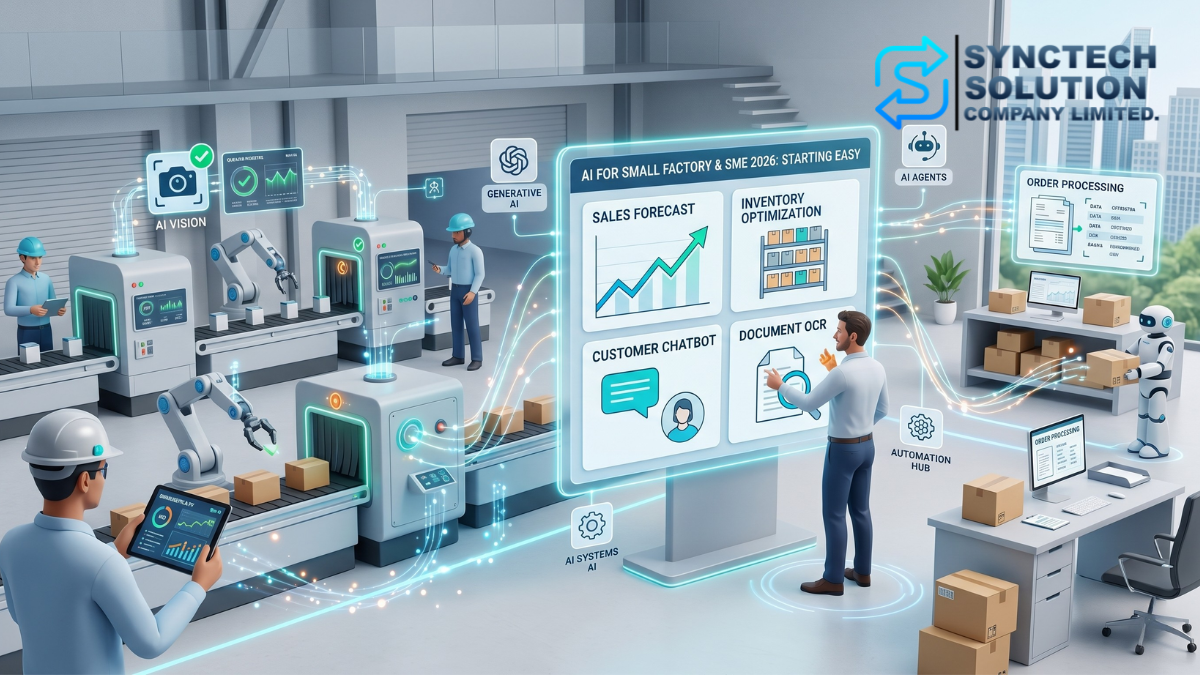
When talking about AI or artificial intelligence, many small factory owners and SMEs may feel that it is distant and only suitable for large technology companies or industrial factories with high budgets.
But in 2026, that picture changed a lot because AI was no longer limited to large systems or expensive projects. Many AI tools began to appear in the form of ready-made software, cloud services, no-code, low-code, chatbots, OCR systems, AI vision, and automation systems that small businesses could start using without having a large team of data scientists.
This article is a hands-on guide for business owners, factory managers, IT teams, operations teams, or SME executives who want to start implementing AI in practice, to reduce repetitive work, cut costs, minimize errors, and increase efficiency, focusing on a gradual starting approach without requiring a large investment from day one.
Why Should Factories and Small Businesses Start Using AI in 2026?
The main reason is that competition in modern business is no longer measured only by price, location, or the number of employees, but it is now measured by speed, accuracy, the use of data, and the ability to eliminate unnecessary work.
AI helps small businesses operate as if they have additional assistants without needing to increase staff in every position, such as helping answer customer questions, help read documents, help summarize reports, help analyze sales, help check products, or help notify about machinery abnormalities.
- Reduce repetitive work: Data entry, answering the same questions, daily reporting, or document categorization can be assisted by AI and automation.
- Reduce errors: AI helps check data, images, documents, or conditions that humans might overlook.
- Increase speed: Tasks that used to take several hours may be reduced to just a few minutes if the workflow is well designed.
- Make use of data: Sales, stock, production, and customer history data can be analyzed to aid decision-making.
- Compete better: Small businesses can use ready-made AI tools to improve efficiency without having to build the entire system themselves.
AI is not just ChatGPT
Many people may understand AI as only ChatGPT or text-generating tools, but in real businesses, AI comes in many forms, and each type helps with different tasks.
| Type of AI | What it can be used for | Examples of work in business |
|---|---|---|
| Generative AI | Create text, summarize information, translate language, help write documents | Write emails, respond to customers, summarize reports, create advertising copy |
| AI Chatbot | Answer questions and help screen information from customers | Respond to chats on the website, LINE, Facebook, or internal systems |
| AI Vision | Analyze images from cameras or image files | Check product QC, count objects, detect abnormal areas |
| OCR + AI | Read documents and extract important information | Read invoices, purchase orders, delivery notes, goods receipts |
| Predictive AI | Predict trends from historical data | Forecast sales, inventory, raw materials, or maintenance |
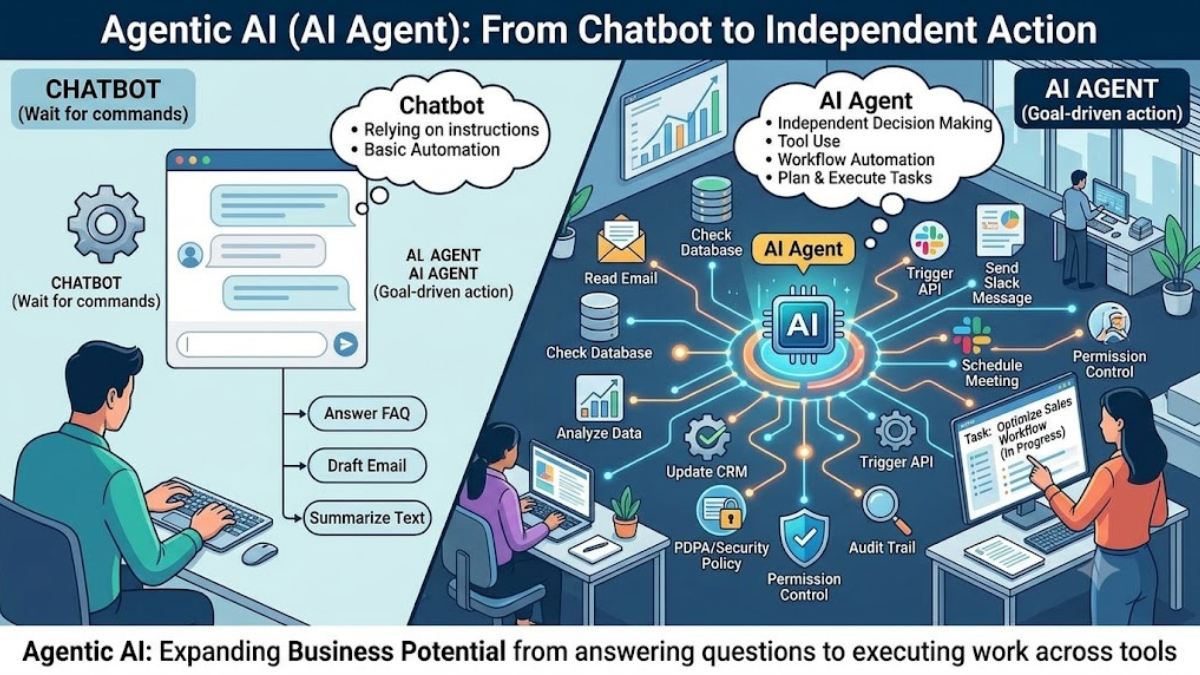
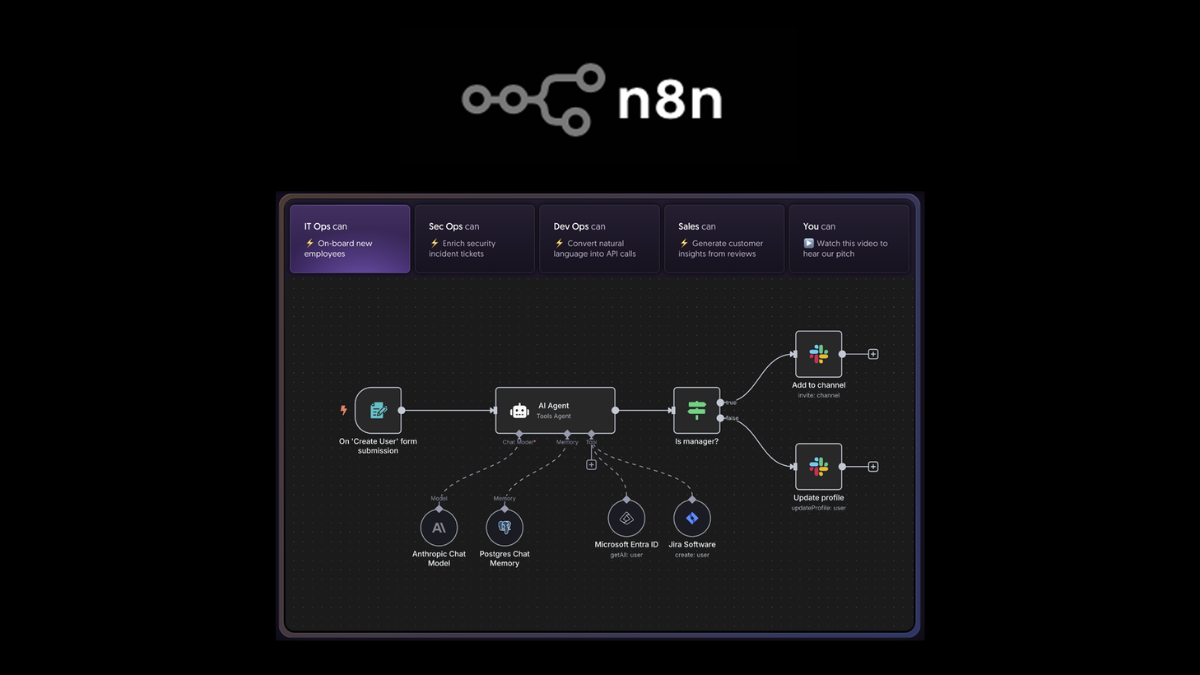
| AI Agent | Helps perform multiple steps automatically | Retrieves information, analyzes, summarizes, and sends reports to the team |
3 Misconceptions That Prevent Businesses from Starting to Use AI
1. “AI is too expensive”
Not always necessary. Starting to use AI does not mean that the entire company has to create a new system. Businesses can start with existing tools, such as document programs, email systems, accounting software, CRM systems, chatbots, n8n, OCR, or subscription AI services that are not very expensive.
2. “You must hire a Data Scientist before you can use AI”
For getting started, it is not necessary to have a Data Scientist immediately, because many modern AI tools are designed to be used by general users, such as business owners, factory managers, sales teams, accounting departments, or internal IT teams.
3. “Our business is too small”
The smaller the business, the more it should start using AI for tasks that save time, because small businesses often have few people but a large amount of work. AI can serve as an assistant that can perform repetitive tasks continuously, such as answering customer questions, summarizing reports, checking documents, or sending reminders for tasks that need follow-up.
5 Steps to Start Using Tangible AI
Step 1: Start with the problem, not the technology
Do not start with the question, 'Which AI should I use?' but start with the question, 'Which tasks in the business are slow, repetitive, prone to errors, or the most costly?'
Example problems in the factory:
- QC staff cannot inspect products quickly enough
- Machines break down without any warning signs
- Raw material stock data does not match the actual inventory
- Production reports have to be done manually every day
- There are too many documents for purchase orders, delivery notes, and goods received notes
Example problems in SME businesses:
- Unable to respond to customer chats on time
- Wasting time entering tax invoices and accounting documents
- Making sales reports manually every week
- Don't know which products should be reordered or have their stock reduced
- Unable to create marketing content on time
Step 2: Choose the work that shows results the fastest
Do not try to change the entire factory or business at once. Start with small tasks that show quick results, use a low budget, and can be easily measured.
Examples of tasks that should be started first:
- AI helps answer basic customer questions
- AI helps summarize daily sales
- OCR helps read documents and extract data into tables
- AI helps write product descriptions
- AI helps notify when stock is below the set level
This group work is suitable for starting because it uses uncomplicated data, requires low investment, and the team can see benefits quickly.
Step 3: Use ready-made tools before creating your own system
In 2026, businesses do not need to build AI from scratch. They can start with ready-made tools or systems that already have AI embedded, such as document systems, CRM systems, accounting systems, automation systems, or chatbot systems.
Examples of tools to consider:
- AI Assistant: Helps write summaries, translate languages, and answer questions
- OCR + AI: Helps read documents and extract information from PDFs or images
- Workflow Automation: Such as n8n, used to connect APIs, Google Sheets, Email, LINE, Telegram, and databases
- AI Chatbot: Helps respond to customers and filter questions
- AI Vision: Uses cameras to inspect products, count items, or alert abnormalities
- BI Dashboard: Helps display sales data, stock, production, and key trends
Step 4: Prepare the data
How well AI works depends on the quality of the data. If the data is incomplete, incorrect, or dispersed, the results from AI may also be flawed.
Things to start doing:
- Keep sales data organized
- Keep stock and raw material data in a verifiable format
- Standardize product names, product codes, and categories
- Collect important documents such as purchase orders, delivery notes, and tax invoices in digital format
- Keep logs of machine operations or maintenance history
- Separate confidential information such as customer data, costs, prices, and employee information
You don't need Big Data from the start, but you should have Good Data that is accurate, consistent, and usable.
Step 5: Develop People and Set Rules for Using AI
AI will not replace everyone, but it will change the way people work. Therefore, businesses should teach their teams to use AI correctly and have clear policies about what can be used and what should not be used.
Things to specify:
- What types of information are prohibited from being input into public AI
- Who reviews AI results before actual use
- Which tasks can AI assist with, and which tasks still require human approval
- Frequently used prompts or workflows should be kept as standards
- Employees should be trained to understand AI limitations, such as AI possibly giving incorrect answers or generating information that appears credible but is not correct
Examples of Using AI in Small Factories
1. AI Vision for Product Inspection
Factories can use cameras along with AI to inspect product abnormalities, such as color deviations, defects, incorrect packaging, improperly closed lids, or incomplete parts.
The starting point does not always have to be an expensive system. You can start with an IP Camera or an existing camera, together with AI Vision software or Cloud services that support image analysis.
2. Predictive Maintenance
If critical machinery suddenly breaks down, the business may stop production and incur significant costs. Installing sensors to measure vibration, temperature, electric current, or sound, and then analyzing the data with AI, can help alert abnormalities before the machinery actually fails.
3. Analyze Stock and Raw Materials
AI can help review past sales, seasons, order trends, and raw material usage cycles to suggest when to order raw materials or how much to produce, reducing issues of overstock and shortages.
4. Automatic Production Report
If there is production data in Excel, Google Sheets, a database, or certain types of machines, automation can be used together with AI to summarize daily reports, such as actual production numbers, waste, issues encountered, and things to follow up on the next day.
5. Check security from cameras
AI Vision can help detect certain events, such as someone entering a restricted area, forgetting to wear protective equipment, objects being placed in the wrong location, or abnormal movements during times when people should not be present.
Examples of Using AI in Small Businesses
1. AI Chatbot helps answer customers
Businesses can use AI chatbots to help answer basic questions, such as prices, ordering methods, shipping, warranties, or product comparisons, helping reduce administrative burdens and respond to customers more quickly.
The recommendation is to start with frequently asked questions first and have AI forward to staff when the questions are complex or related to price, special conditions, or important decisions.
2. OCR + AI for Document Work
Accounting and administrative work often wastes time entering data from tax invoices, purchase orders, quotations, or delivery notes. An OCR system combined with AI can help read documents, extract document numbers, dates, item details, total amounts, and customer information into a table.
3. AI helps with marketing
AI can help come up with article topics, write product descriptions, create social media posts, generate advertising copy, or help summarize product selling points to suit the target audience.
4. Automatic Sales and Profit Report
Businesses that have sales data in POS systems, Excel, Google Sheets, or Databases can use AI to summarize sales, best-selling products, low-profit products, and trends to watch out for.
5. AI helps IT and Operation departments
AI and Automation can help notify backup systems, check logs, summarize issues from tickets, alert when a server or NAS has a problem, and automatically send reports to the maintenance team.
How to start using AI without heavy capital, where should you begin?
| Starting Budget | What Can Be Done | Example Results |
|---|---|---|
| Start free or hundreds per month | Use AI to help write, summarize, translate, create manuals, or generate content ideas | Reduce time on documents and marketing tasks |
| Thousands per month | Use Chatbot, OCR, Automation, or ready-made AI systems | Reduce admin work, document tasks, and customer responses |
| Tens of thousands and above | Start AI Vision, Sensor, Dashboard, or real data connection systems | Inspect QC, analyze machinery, or generate automatic reports |
| Special projects | Design AI systems connected to databases, cameras, machinery, or ERP | Reduce long-term costs and increase work accuracy |
Checklist Before Starting an AI Project
- Clearly identify the problem to be solved
- Set measurable goals, such as reducing time, cost, or errors
- Choose a small task that shows quick results as a Pilot Project
- Prepare the data and check its quality
- Establish policies for using data with AI
- Choose tools that fit the budget
- Involve actual workers from the beginning
- Test results before using them in practice
- Have someone review AI results at the start
- Collect results and measure ROI after the trial
Precautions When Using AI
- AI may provide incorrect answers or generate information that looks credible but is not accurate.
- Do not input confidential information such as customer data, costs, prices, contracts, or employee information into public AI without a supporting policy.
- Critical tasks such as finance, legal, security, or approvals should always be reviewed by humans.
- Start with small systems first; do not make large investments without knowing the results.
- Check the terms of use for each AI tool, especially regarding data and privacy.
- Have a backup and security plan if AI is connected to internal systems.
Example Roadmap to Start Using AI Within 90 Days
| Time Period | Things to Do | Expected Results |
|---|---|---|
| Days 1-15 | Investigate problems and select Use Cases that show quick results | Obtain 1-2 clear AI topics |
| Days 16-30 | Prepare data, choose tools, and assign responsibilities | Ready to start small-scale system testing |
| Days 31-60 | Conduct Pilot Projects such as Chatbot, OCR, or automated reporting | Start seeing actual results from some tasks |
| Days 61-90 | Measure results, adjust workflows, train the team, and decide whether to expand | Have lessons learned and a plan to scale AI in the organization |
Summary
Starting to use AI in factories and small businesses in 2026 does not necessarily have to begin with large systems or high budgets. The most important thing is to start with clear problems, choose tasks that show quick results, use ready-made tools first, and gradually develop data, processes, and people in the organization together.
The first step may simply be using AI to help respond to customer chats, assist in reading documents, summarize reports, or provide stock alerts. But if done systematically, these small things can be expanded into a Smart Factory or a more efficient Smart SME system in the future.
The greatest risk is not starting to use AI and making small mistakes, but not starting at all, while competitors begin using new tools to reduce costs and increase work speed.
Need expert advice or would like to request a quotation? Contact us today:
E-mail: [email protected]
LINE Official: @sync.co.th

The Company reserves the right to correct any typographical or printing errors and shall not be held liable for any inaccuracies resulting from such errors.
*** This article is the intellectual property of SyncTech Solution Company Limited. Reproduction, modification, or redistribution of this content, in whole or in part, is strictly prohibited without prior written permission from the Company. ***