Network Security is the core of protecting information, devices, and systems within a home or organization from cyber threats such as malware, ransomware, phishing, unauthorized access, and DDoS attacks.
In an era where organizations use Cloud, SaaS, Remote Work, IoT, CCTV, NAS, and online systems more, network security no longer just means installing a Firewall, but must also include user permission management, network segmentation, multi-factor authentication, data backup, threat detection, and establishing appropriate security policies.
This article will explain the basics of Network Security, common threats, tools used for protection, as well as new update approaches such as Zero Trust, MFA, EDR/XDR, SASE/SSE, and Ransomware protection to help homes, home offices, and organizations set up more secure network systems.
What is Network Security?
Network Security is the process of protecting networks, data, devices, and systems from unauthorized access, attacks, data leaks, or system disruptions by using a combination of technology, policies, processes, and user education.
The main goal of Network Security is to make the network secure, stable, and available by reducing risks from threats both inside and outside the organization.
Objectives of Network Security
- Prevent unauthorized access
Restrict unauthorized individuals or devices from accessing internal systems - Protect critical data
Reduce the risk of data leakage, data theft, or data being modified without authorization - Maintain system availability
Prevent systems from crashing or service interruptions caused by attacks such as DDoS or Ransomware - Minimize damage from threats
In case of abnormal events, the system should be able to limit impact, detect, and recover quickly - Support the continuous operation of the organization
Help employees, work systems, and customers use various services safely and efficiently
Common Network Threats
- Malware
Unwanted programs that cause damage to the system, such as Virus, Trojan, Worm, Spyware, and Ransomware - Ransomware
Malware that encrypts files or systems and demands a ransom in exchange for data recovery. Nowadays, in many cases, data is also stolen before encryption to further pressure organizations. - Phishing
Deception through emails, fake websites, or messages to steal passwords, account information, or important data - Man-in-the-Middle Attack
When an attacker secretly intercepts or inserts themselves between the communication of the user and the destination system - DDoS Attack
Attacks by sending a large amount of traffic to a server or network system, causing the system to crash or become unavailable - Unauthorized Access
Accessing systems or information without permission, such as guessing passwords, using leaked accounts, or exploiting system vulnerabilities - Insider Threat
Risk from insiders, such as employees who intentionally or unintentionally cause information leakage - IoT and Unupdated Devices
Devices such as CCTV cameras, Smart TVs, Access Points, or IoT devices, if using default passwords or not updating Firmware, may become vulnerabilities in the network.
Key Concepts of Network Security Today
1. Zero Trust
Zero Trust is a security concept based on the principle of "trust no one by default." Even if a user is within the organization's internal network, every access should undergo identity verification, device verification, and permission restrictions as necessary.
Key Principles of Zero Trust
- Verify identity every time before accessing the system
- Use privileges only as necessary
- Segment the network to reduce the spread of threats
- Continuously monitor abnormal behavior
- Do not assume internal networks are always secure
2. Defense in Depth
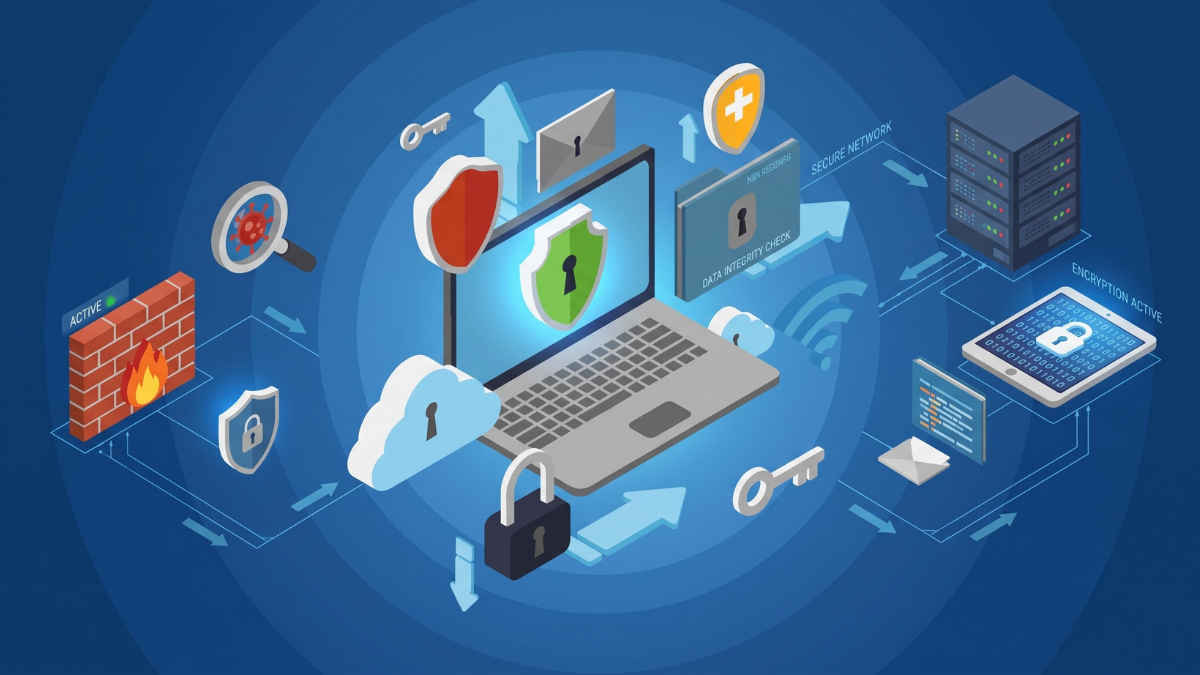
Defense in Depth is multi-layered protection, such as using Firewall, Endpoint Protection, MFA, VLAN, Backup, and Monitoring together, so that the system does not rely on a single layer of defense.
3. Least Privilege
Least Privilege is granting users only the permissions necessary for their work. For example, regular employees should not have Administrator rights, and users in each department should only access information that is relevant.
Techniques and Methods for Preventing Threats in Networks
- Use a secure password and enable MFA
You should use long, hard-to-guess passwords and not reuse them across multiple systems, and also enable Multi-Factor Authentication or MFA for critical systems such as Email, VPN, Cloud, NAS, and backend systems - Use Firewall and set appropriate Rules
A firewall helps filter incoming and outgoing network traffic. Only necessary ports should be open, and external access should be closed if not in use. - Regularly update software and firmware
Routers, switches, access points, NAS, servers, firewalls, and IoT devices should have their firmware updated to close security vulnerabilities. - Encrypt important data
Use encryption such as HTTPS, VPN, TLS, or file/folder encryption to prevent unauthorized interception or reading of data - Use IDS/IPS
IDS helps detect abnormal behavior, while IPS can help prevent or automatically block certain types of threats. - Manage Access Permissions
Set user permissions according to roles, and periodically review permissions, especially for Administrator accounts, VPN Users, and accounts that access critical information. - Continuously train users
Users are the first line of defense in security. They should be trained on phishing, passwords, dangerous attachments, fake websites, and reporting abnormal incidents. - Backup according to the 3-2-1 Backup principle
There should be at least 3 copies of the data, stored on at least 2 different types of media, and 1 copy should be off-site or separated from the main system - Use Immutable Backup or Snapshot for Critical Data
Backup data that cannot be modified or deleted within a specified period helps reduce the risk from ransomware attempting to delete the backup - Check Logs and Configure Alerts
Logging should be enabled on critical devices such as Firewalls, NAS, Servers, and VPNs to allow for review in case of abnormal incidents.
Tools Used in Network Security
- Firewall / Next-Generation Firewall
Used to control incoming and outgoing network traffic, and some models can detect applications, malware, intrusions, or unsafe URLs. - Antivirus / Anti-Malware
Used to detect and remove malware on endpoint devices such as PCs, notebooks, and servers - EDR / XDR
EDR helps detect and respond to threats on endpoints, while XDR extends detection to multiple systems such as endpoints, email, cloud, and network. - VPN
Used to create an encrypted connection for employees working externally or to connect multiple branch offices. - MFA / 2FA / Passkey
Enhance the security of user accounts without relying solely on passwords - Network Segmentation / VLAN
Divide the network into sections such as Main LAN, Guest Wi-Fi, CCTV, IoT, and Server to reduce the risk if certain groups of devices are attacked. - DNS Security / Web Filtering
Helps block dangerous websites, phishing websites, or domains related to malware - SASE / SSE
It is a modern security approach that combines Network Security and Cloud Security. It is suitable for organizations with multiple branch users, using the Cloud, and working from various locations. - SIEM / Log Management
Used to collect and analyze logs from multiple systems to help detect anomalies and for retrospective investigation
How is Network Segmentation important?
Network segmentation helps reduce risk when some devices are attacked, because attackers cannot easily move to other systems.
Example of network segmentation
- Main LAN: For employee computers
- Server VLAN: For servers and NAS
- CCTV VLAN: For CCTV cameras and NVR
- Guest Wi-Fi: For guests or customers
- IoT VLAN: For Smart TVs, IoT, and devices that don't need access to internal data
- Management VLAN: For managing network devices such as switches, routers, access points, and controllers
Guidelines for Preventing Ransomware in Network Systems
- Update the system and patch vulnerabilities as quickly as possible
- Enable MFA for important accounts
- Restrict user permissions and do not use Administrator accounts for daily activities
- Segment VLANs to reduce spread
- Back up data using the 3-2-1 method
- Use Immutable Backup or Snapshots
- Periodically test data recovery
- Train users to be cautious of phishing and dangerous attachments
- Monitor logs and set alerts for unusual behavior
- Disable unnecessary services, such as Remote Desktop or ports exposed to the internet unnecessarily
The Role of Network Security in Homes and Organizations
For homes and general users
- Protect Wi-Fi from unauthorized users
- Reduce risks from insecure IoT devices
- Protect personal data such as photos, documents, and online accounts
- Use a secure Wi-Fi password and choose WPA2 or WPA3
- Separate Guest Wi-Fi for guests
For Organizations
- Protect customer information, account data, and internal documents
- Reduce the risk from ransomware and data leaks
- Control employee access permissions
- Separate networks by department or device type
- Monitor logs and create security incident response plans
- Support secure remote work via VPN or Zero Trust Access
Basic Checklist for Network Security
| Topic | What to do |
|---|---|
| Password | Use a strong password, do not reuse it, and enable MFA |
| Firewall | Only open necessary ports and check the rules periodically |
| Firmware | Regularly update Router, Switch, AP, NAS, and Server |
| Wi-Fi | Uses WPA2/WPA3 and separates Guest Wi-Fi |
| VLAN | Separate Main LAN, Guest, CCTV, IoT, and Server |
| Backup | Use 3-2-1 Backup and have Immutable Backup or Snapshot |
| Endpoint | Install Antivirus, EDR, or XDR as appropriate |
| User | Training on Phishing, Password, and Reporting Abnormal Incidents |
| Log | Enable logging and set up notifications for critical systems |
Summary
Network Security is an important part of protecting data and network systems from continuously increasing threats, whether it is Malware, Ransomware, Phishing, DDoS, or unauthorized access.
Good security should use multiple measures together, such as Firewall, MFA, VPN, VLAN, EDR/XDR, Backup, Immutable Snapshot, Logging, and user training, and should also apply the concepts of Zero Trust and Least Privilege to reduce risks from both external and internal parts of the organization.
For small homes or offices, you should start by setting secure passwords, updating devices, separating Guest Wi-Fi, backing up data, and checking connected devices. For organizations, it is advisable to plan Network Segmentation, Access Control, Monitoring, and Incident Response systematically to ensure the network is secure and reliable in the long term.
Need expert advice or would like to request a quotation? Contact us today:
E-mail: [email protected]
LINE Official: @sync.co.th

The Company reserves the right to correct any typographical or printing errors and shall not be held liable for any inaccuracies resulting from such errors.
*** This article is the intellectual property of SyncTech Solution Company Limited. Reproduction, modification, or redistribution of this content, in whole or in part, is strictly prohibited without prior written permission from the Company. ***