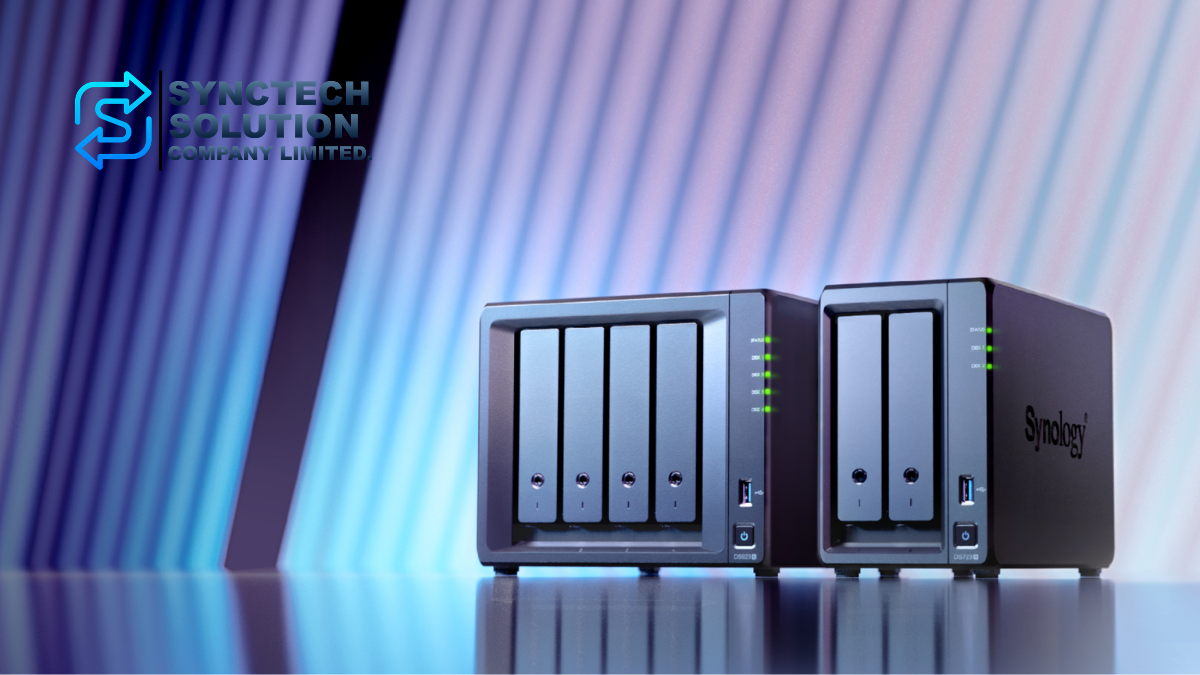
Synology NAS and BeeStation are storage solutions designed to meet multi-level usage needs, ranging from general users who want to store photos and personal files, to home offices and businesses that require file sharing, backup systems, collaboration, and support for multiple simultaneous users.
Currently, Synology has several interesting new models, such as BeeStation BST151-4T, BeeStation Plus BST170-8T, DS225+, DS425+, DS725+, and DS925+. Each model has different highlights, including ease of use, number of bays, CPU, RAM, network ports, M.2 NVMe support, expandability, and suitability for business use.
This article will compare these new models in detail to help choose which model is suitable for homes, general users, creators, home offices, or small to medium-sized businesses.
Overview of the models being compared
- BeeStation BST151-4T: 4TB Personal Cloud for general users, easy to use, quick to set up, no extensive NAS knowledge required
- BeeStation Plus BST170-8T: Personal Cloud Plus with 8TB for users who want more space, higher performance, and multi-user collaboration
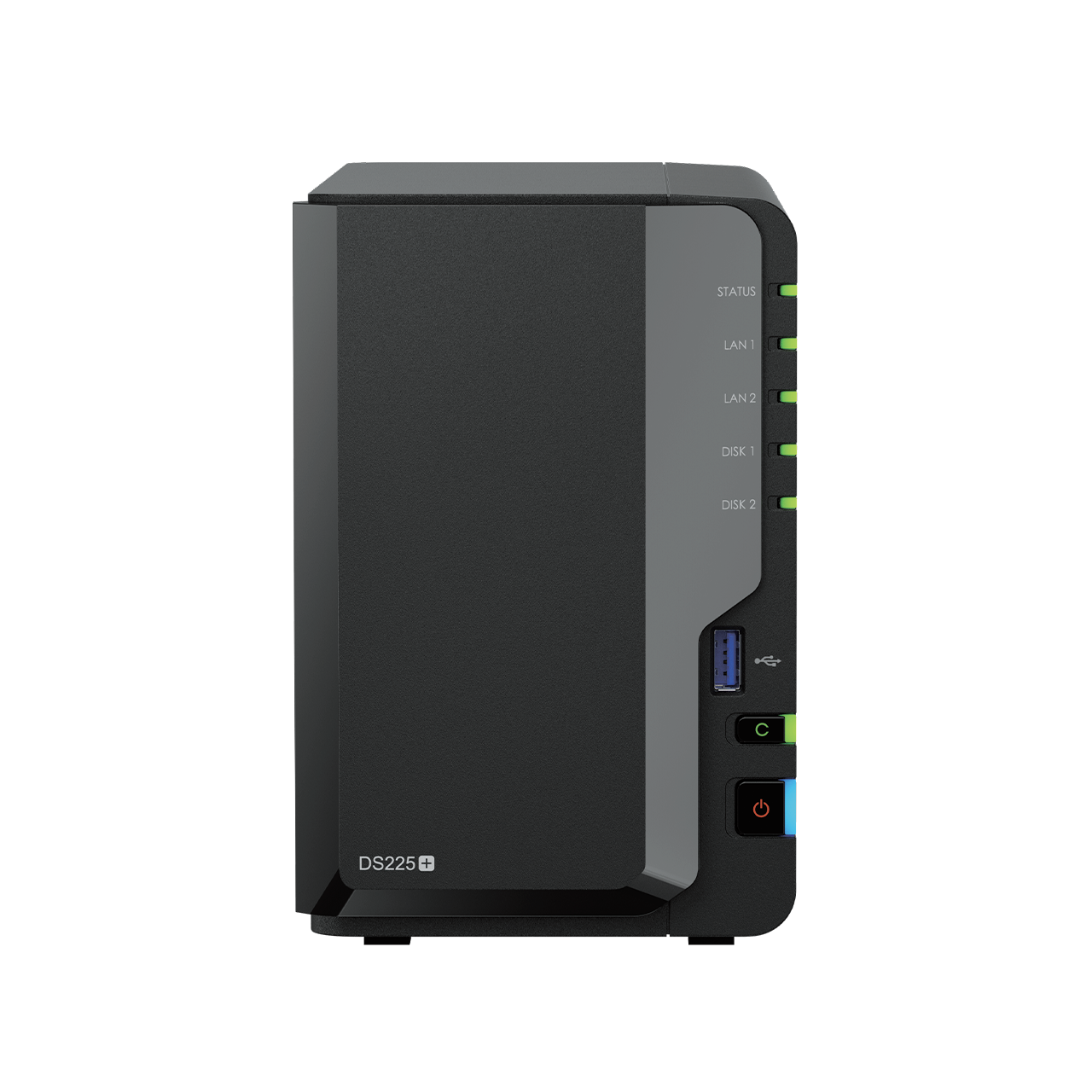
- DS225+: 2-Bay DiskStation NAS for home, home office, and more serious file sharing/backups
- DS425+: 4-Bay NAS for users who need more storage, with 2 M.2 NVMe slots and a 2.5GbE port
- DS725+: High-end 2-Bay NAS, supports ECC RAM, M.2 NVMe, and can expand storage with DX525
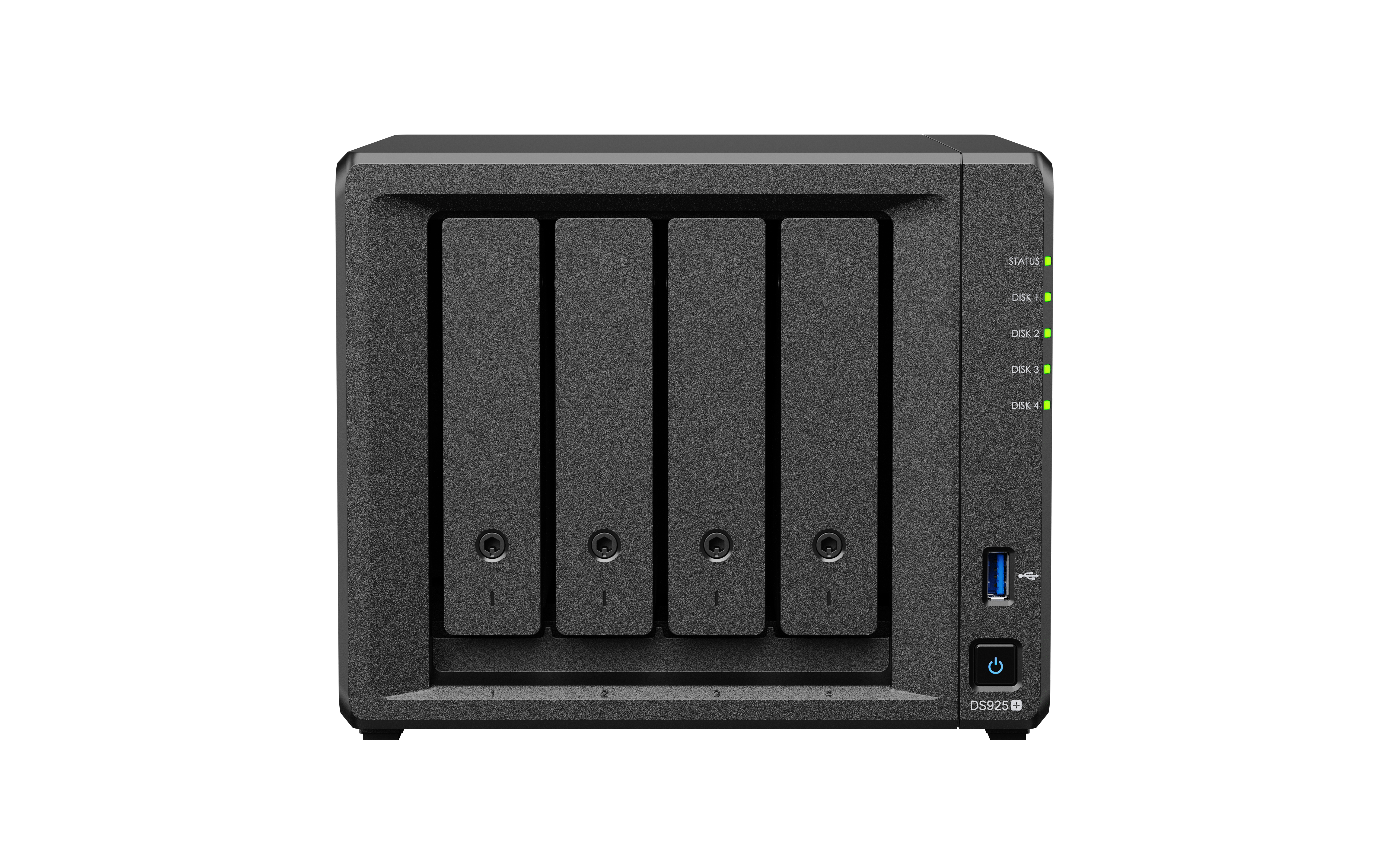
- DS925+: 4-bay business-level NAS supporting ECC RAM, 2 x 2.5GbE, M.2 NVMe, and expandable storage with DX525
1. Who is BeeStation suitable for?
BeeStation BST151-4T
BeeStation BST151-4T is suitable for general users who want a simple personal file and photo storage without having to set up Storage Pool, RAID, Shared Folder, or complex Permissions like a DiskStation NAS.
This model comes with a built-in 4TB storage, uses a Realtek RTD1619B CPU, 2GB DDR4 RAM, 1GbE LAN port, and has USB-A 3.2 Gen 1 and USB-C 3.2 Gen 1 for connecting external devices.
Suitable for
- Home users who want to store photos, videos, and personal files
- People who want an easy-to-use private cloud
- Users who want to back up data from their mobile phones or computers
- People who do not want to set up a complex NAS system
BeeStation Plus BST170-8T
BeeStation Plus BST170-8T is suitable for users who want more space and higher performance than the BeeStation 4TB, coming with 8TB of storage, using an Intel Celeron J4125 CPU and 4GB DDR4 RAM.
The highlight of BeeStation Plus is that it supports heavier workloads, such as backing up a large number of photos, uploading files via the web, syncing files from the Desktop, and multi-user collaboration. It also supports Plex Media Server and has Snapshot-powered restore points to help protect data from Ransomware.
Suitable for
- Families with lots of photos and videos
- Small teams needing private Cloud space
- Creators who want to store work files and back up data
- Users who want a more powerful BeeStation and more than 4TB of space
2. Who is the DiskStation Plus Series suitable for?
If you want a NAS system that is more customizable, such as creating Shared Folders, setting user permissions, using Synology Drive, Synology Photos, Hyper Backup, Snapshot Replication, Surveillance Station, Active Backup, Container, or Virtual Machine, you should choose the DiskStation Plus Series group, such as DS225+, DS425+, DS725+, or DS925+
DS225+
DS225+ is a 2-bay NAS suitable for beginners who want to use NAS seriously. It uses a 4-core Intel Celeron J4125 CPU with a speed of 2.0 GHz and can burst up to 2.7 GHz. It comes with 2GB DDR4 non-ECC RAM and can be upgraded to a maximum of 6GB.
This model has one 1GbE LAN port and one 2.5GbE port, making it suitable for homes or home offices that require speeds higher than standard 1GbE NAS.
Suitable for
- Homes or home offices that need a 2-Bay NAS
- Beginners using Synology DSM
- File sharing and backup tasks
- Using Synology Drive and Synology Photos
- Users who want a 2.5GbE port in an entry-level model
DS425+
DS425+ is a 4-bay NAS suitable for users who need more space than a 2-bay but still want cost-effectiveness. It uses a 4-core Intel Celeron J4125 CPU with a speed of 2.0 GHz and can burst up to 2.7 GHz, same as the DS225+. It comes with 2GB DDR4 non-ECC RAM and can be upgraded to a maximum of 6GB.
The highlight of the DS425+ is that it has 2 M.2 NVMe slots for SSD Cache and comes with 1 1GbE LAN port along with 1 2.5GbE port, making it suitable for file sharing, data backup, and managing a large number of photos/files.
Suitable for
- Users who want a 4-Bay NAS
- Advanced home or home office
- Users who need more space than the DS225+
- Multiple-device backup tasks
- Tasks that require M.2 NVMe SSD Cache
DS725+
DS725+ is a high-end 2-bay NAS that focuses on flexibility and future expansion. It uses an AMD Ryzen R1600 CPU with 2 cores, running at 2.6 GHz and boosting up to 3.1 GHz. It comes with 4GB DDR4 ECC SODIMM RAM and can be upgraded up to 32GB.
This model has 2 M.2 NVMe slots, 1 1GbE LAN port, and 1 2.5GbE port, and can be expanded up to 7 bays with DX525.
Suitable for
- Home office or small business
- Users who want a 2-Bay NAS but require more power and stability
- Tasks that require ECC RAM
- Backup work and multi-user file sharing
- Those who want to expand storage in the future with DX525
DS925+
DS925+ is a 4-bay NAS for small to medium-sized businesses, using an AMD Ryzen V1500B 4-core CPU with a speed of 2.2 GHz, comes with 4GB DDR4 ECC SODIMM RAM, and can be upgraded up to 32GB.
The highlight of the DS925+ is that it has 2 x 2.5GbE LAN ports, 2 M.2 NVMe slots, and can be expanded up to 9 bays with the DX525, making it suitable for systems that require both performance, stability, and future expansion.
Suitable for
- Small to medium-sized business
- Office with multiple users
- File Server and Backup Server tasks
- Synology Drive, Active Backup, Snapshot, and Surveillance Station tasks
- Users who need 4 Bays with the potential to expand to 9 Bays in the future
3. What's new in the new versions?
- 2.5GbE ports are becoming standard in Plus models
DS225+, DS425+, and DS725+ come with one 2.5GbE port, while DS925+ has two 2.5GbE ports, allowing faster file transfers than 1GbE when used with compatible switches and client devices. - M.2 NVMe plays a bigger role
DS425+, DS725+ and DS925+ have 2 M.2 NVMe slots for SSD Cache, helping to improve performance for tasks with repeated data access or multiple users - Higher models support ECC RAM
DS725+ and DS925+ use DDR4 ECC SODIMM RAM, which enhances system reliability, suitable for business tasks and critical data - The Expansion Unit is changed to DX525 for supported models
DS725+ and DS925+ can expand storage with DX525, where DS725+ can expand up to 7 bays and DS925+ can expand up to 9 bays - BeeStation is clearly distinguished from DiskStation
BeeStation focuses on simplicity as a Personal Cloud, while DiskStation is suitable for users who want a full-featured NAS system through DSM - More security and data protection features
The DiskStation Plus models have DSM features such as QuickConnect, Adaptive MFA, Active Backup Suite, Hyper Backup, and Snapshot Replication. Meanwhile, BeeStation has snapshot-based restore points and BeeProtect for backing up data to the Cloud.
4. Compare the main specifications of each model
| Specifications | BST151-4T | BST170-8T | DS225+ | DS425+ | DS725+ | DS925+ |
|---|---|---|---|---|---|---|
| Product Type | Personal Cloud | Personal Cloud Plus | DiskStation | DiskStation | DiskStation | DiskStation |
| Area / Bay | 4TB built-in | 8TB built-in | 2 Bay | 4 Bay | 2 Bay | 4 Bay |
| CPU | Realtek RTD1619B | Intel Celeron J4125 | Intel Celeron J4125 | Intel Celeron J4125 | AMD Ryzen R1600 | AMD Ryzen V1500B |
| CPU Core | Not specified in Datasheet | Not specified in Datasheet | 4 Core | 4 Core | 2 Core | 4 Core |
| CPU Frequency | Not specified in Datasheet | Not specified in Datasheet | 2.0 / 2.7 GHz | 2.0 / 2.7 GHz | 2.6 / 3.1 GHz | 2.2 GHz |
| Standard RAM | 2GB DDR4 | 4GB DDR4 | 2GB DDR4 non-ECC | 2GB DDR4 non-ECC | 4GB DDR4 ECC SODIMM | 4GB DDR4 ECC SODIMM |
| Maximum RAM | Upgrade not specified in Datasheet | Upgrade not specified in Datasheet | 6GB | 6GB | 32GB | 32GB |
| M.2 NVMe | Not supported | Not supported | Not supported | 2 slots | 2 slots | 2 slots |
| LAN | 1 x 1GbE RJ-45 | 1 x 1GbE RJ-45 | 1 x 1GbE + 1 x 2.5GbE | 1 x 1GbE + 1 x 2.5GbE | 1 x 1GbE + 1 x 2.5GbE | 2 x 2.5GbE |
| Expansion Unit | Not supported | Not supported | Not supported | Not supported | DX525 up to 7 Bay | DX525 up to 9 Bay |
| USB | USB-A 3.2 Gen 1 x 1, USB-C 3.2 Gen 1 x 1 | USB-A 3.2 Gen 1 x 1, USB-C 3.2 Gen 1 x 1 | USB 3.2 Gen 1 x 2 | USB 3.2 Gen 1 x 2 | USB 3.2 Gen 1 x 1 | USB 3.2 Gen 1 x 2 |
| Warranty | 3 years | 3 years | 3 years, extendable in some markets | 3 years, extendable in some markets | 3 years, extendable in some markets | 3 years, extendable in some markets |
5. Which model should be chosen according to usage?
For personal use, storing photos, backing up mobile phones, and general files
Recommend BeeStation BST151-4T because it is easy to set up, fast to use, and does not require complex system maintenance. It is suitable for general users who want a personal cloud to store files and photos.
For family use, small teams, or having a large number of files
Recommend BeeStation Plus BST170-8T because it has 8TB of space, 4GB of RAM, and an Intel Celeron J4125 CPU. It is suitable for users who need more storage and higher performance.
Starting to use NAS seriously, need DSM and 2 Bay
Recommend DS225+ because it has the full DSM, supports file sharing, backups with Synology Drive, Synology Photos, and has a 2.5GbE port for faster usage.
Looking for a 4-Bay NAS within a reasonable budget
Recommended DS425+ because it has 4 bays, 2 M.2 NVMe slots, and a 2.5GbE port, suitable for users who want more storage but do not yet need to expand with an Expansion Unit.
Need 2 high-level bays for future expansion
Recommended DS725+ because it uses AMD Ryzen R1600, ECC RAM, 2 M.2 NVMe slots, and can be expanded to 7 bays with DX525. Suitable for home offices or small businesses.
Need NAS for small to medium-sized business
Recommend DS925+ because it has 4 bays, AMD Ryzen V1500B CPU, ECC RAM, 2 x 2.5GbE, and can be expanded up to 9 bays with DX525. Suitable for File Server, Backup, Surveillance, and multiple simultaneous users.
6. Precautions Before Buying
- Check the Compatibility List of HDD/SSD before purchase every time
- New DiskStation models state that compatible drives are mandatory, so you should choose drives supported by Synology
- If you want to use M.2 NVMe, you should check the supported SSD models
- If you want to expand the Bay, you should choose DS725+ or DS925+ which support DX525
- If you want 10GbE, you should check the models that support it directly, because the models in this article do not specify 10GbE Optional in the Datasheet
- If it is for business use, you should choose ECC RAM and set up a separate Backup system
- You should have a UPS for NAS that stores important data
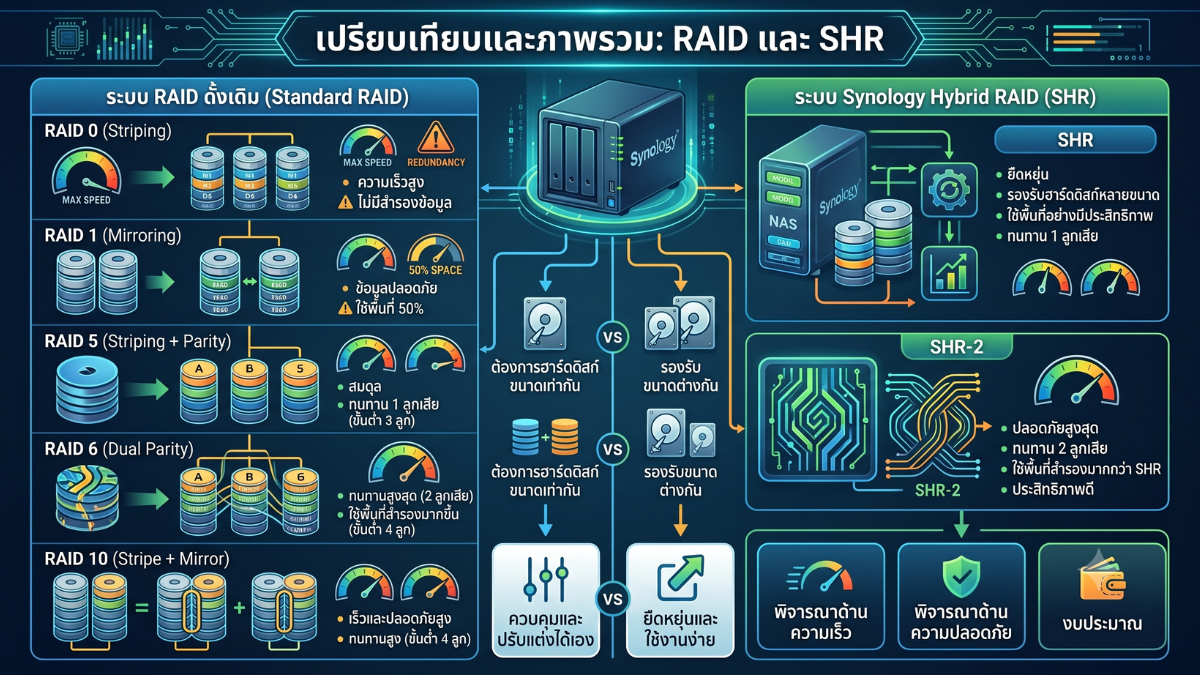
- RAID or SHR is not a Backup; you should do Hyper Backup, Snapshot, or Backup to NAS/Cloud/External Drive additionally
Summary
If you want the easiest-to-use private cloud, you should choose BeeStation BST151-4T or BeeStation Plus BST170-8T, with the Plus model suitable for users who need more space and performance.
If you want a DSM-based NAS for serious use, starting with DS225+ is suitable for homes and home offices, while DS425+ is suitable for those who want 4 bays and M.2 NVMe with a cost-effective budget.
For users who require business-level flexibility and reliability, DS725+ is suitable for 2-bay tasks that may need expansion in the future, while DS925+ is suitable for small to medium businesses that need 4 bays, ECC RAM, 2 x 2.5GbE, and up to 9-bay expansion with DX525.
Need expert advice or would like to request a quotation? Contact us today:
E-mail: [email protected]
LINE Official: @sync.co.th

The Company reserves the right to correct any typographical or printing errors and shall not be held liable for any inaccuracies resulting from such errors.
*** This article is the intellectual property of SyncTech Solution Company Limited. Reproduction, modification, or redistribution of this content, in whole or in part, is strictly prohibited without prior written permission from the Company. ***