The Synology PAS7700 can deliver extremely high performance, but good results do not come from filling every bay with SSDs and immediately placing the system into production. Performance, availability, and security depend on the complete design: rack, power, networking, storage pools, volumes, protocols, host multipathing, backup, and disaster recovery.
This guide is intended for organizations planning a PAS7700 deployment or preparing a solution design. It consolidates guidance from Synology product manuals, best-practice documents, failover guidance, datasheets, webinar material, and related technical documentation.
Define the Role of the PAS7700
Before sizing the system, clearly define what it will do. Do not consolidate every workload merely because the platform is fast.
- Primary storage for VMware, Hyper-V, or private cloud
- Block storage for SQL Server, Oracle, SAP, or clustered applications
- High-performance file storage for engineering, media, EDA, or AI datasets
- VDI storage for large user populations
- Kubernetes persistent storage
- A hot tier working with capacity or archive storage
Each workload has a different I/O pattern. Databases need predictable latency and write consistency. Media needs throughput. VDI needs random IOPS. EDA needs metadata and small-file performance. Sizing must therefore use real operational data rather than capacity alone.
Information to Collect Before Sizing
| Metric | Why it matters |
|---|---|
| Current usable capacity | Defines the starting production requirement |
| Three-to-five-year growth | Reduces the risk of premature expansion |
| Peak IOPS | Helps size drives, controllers, and protocols |
| Read/write ratio | An 80/20 workload differs greatly from write-intensive I/O |
| Block size | 4K, 8K, 64K, and 1M produce different results |
| Average and peak latency | Confirms whether storage is the actual bottleneck |
| Host and VM count | Determines paths, sessions, LUNs, and namespaces |
| RPO and RTO | Defines snapshot, replication, and backup requirements |
| Data reduction potential | Estimates deduplication using representative data |
| Maintenance windows | Supports rolling updates and background tasks |
Capacity Planning Beyond Raw Capacity
Plan for three to five years of data growth while accounting for snapshots, metadata, operational free space, RAID overhead, and hot spares.
- Calculate current source data and future growth.
- Do not assume aggressive deduplication. Size from pre-reduction data where possible.
- Reserve approximately 5% for snapshots and adjust according to change rate.
- Reserve approximately 4% for metadata.
- Maintain at least 20% free capacity for performance, rebuilds, rebalancing, and background services.
- Subtract RAID overhead and hot spares.
- Confirm that one controller's capacity allocation is sufficient because dual-pool capacity is divided between controllers.
A requirement for 200 TB of usable application data should never be matched with exactly 200 TB of raw SSD capacity.
RAID and Dual Pools
The PAS7700 uses dual pools that divide capacity equally between Controller A and Controller B. When creating a volume, the administrator selects its owner controller.
RAID 6 is a suitable default for many deployments because it tolerates two drive failures while balancing protection and performance. RAID-TP is also available for higher fault tolerance, with additional capacity overhead.
Each RAID array supports up to 24 drives. Larger configurations should distribute arrays evenly and use hot spares according to the organization's risk model.
Expansion Best Practices
- Create separate dual pools for the main unit and expansion units.
- Do not span a dual pool across multiple expansion units.
- Keep drives from one expansion enclosure in the same pool.
- Place the most performance-sensitive workloads on the main unit where practical.
- Limit failure domains so one expansion shelf does not affect every pool.
Balance Workloads Across Both Controllers
Active-active architecture delivers its full value only when workloads are distributed. If most volumes are owned by Controller A while Controller B is nearly idle, both performance and failover headroom are reduced.
- Create multiple volumes and distribute ownership across both controllers.
- Balance heavily used LUNs, namespaces, and shared folders.
- Direct hosts through the optimal path to the controller that owns the workload.
- Monitor CPU, memory, network utilization, and latency per controller.
- If a controller remains above 70% CPU for extended periods, redistribute workloads.
- Leave enough headroom for one controller to carry combined workloads during failover.
Memory Sizing
Each controller starts with 64 GB and supports up to 1 TB. For long-term scalability and high-performance deployments, Synology guidance recommends considering 512 GB per controller.
Both controllers should use identical memory capacities and specifications. Deduplication, large numbers of volumes or LUNs, metadata-heavy workloads, and high connection counts can benefit from additional memory.
Rack, Power, and Cooling
The PAS7700 is a 4U data-center system weighing approximately 38.2 kg before all drives are installed. It requires a four-post 19-inch rack and the RKS-02 rail kit. At least two qualified installers should handle the chassis.
- 200-240V AC power
- 0-35°C operating temperature
- 8-80% RH operating humidity according to best-practice guidance
- Clear front and rear airflow and service space
- Data-center placement rather than a normal office because of noise and heat
- Additional rack space for PAX224 expansion and cable management
UPS and Independent Power Paths
Connect each redundant PSU to a different UPS and preferably a separate power feed. Best-practice guidance references approximately 3.0-3.5 kVA minimum UPS sizing depending on design and load, with enough runtime for safe shutdown.
Use SNMP monitoring for battery level, voltage, and load. Test an actual power-loss scenario before production.
Separate Management and Data Networks
Each controller includes dedicated management and out-of-band connectivity. Management traffic should use a separate VLAN or physical network and should not be reachable by ordinary users.
Prepare static addresses for:
- The virtual DSM Enterprise management IP
- Controller A out-of-band IP
- Controller B out-of-band IP
- Data IP addresses for protocols and failover groups
Restrict management access to jump hosts or an administrative network, enable MFA, and centralize logs.
Active-Active Network Architecture
Connect both controllers to two switches operating with MC-LAG, stacking, virtual chassis, or redundant Layer 2 uplinks.
Critical hosts should have at least two NICs or HBAs and connect through separate switches, with paths to both controllers.
Avoid connecting all data ports to one switch, using one uplink for every host, sharing management and storage traffic in one VLAN, using DHCP for storage IPs, or enabling jumbo frames on only part of the path.
Choosing 10GbE, 25GbE, 100GbE, or Fibre Channel
| Connectivity | Typical use | Considerations |
|---|---|---|
| 10GbE | POC and moderate workloads | May bottleneck a large host estate |
| 25GbE | Enterprise VM, database, and file services | Strong balance of cost and bandwidth |
| 100GbE | AI, EDA, HPC, and high aggregate demand | Requires compatible x16 slots, switches, and host NICs |
| 16G FC | Data centers with established FC fabrics | Requires dual fabrics and MPIO |
Design for aggregate traffic, not a single client. Twenty 10GbE hosts operating concurrently may justify 100GbE uplinks or several distributed storage ports.
Jumbo Frames and VLANs
MTU 9000 can reduce CPU overhead and improve block storage throughput, but every device in the path must match: host NIC, VMkernel, switch port, port channel, and PAS7700 interface.
Any mismatch can produce packet loss and severe performance problems. Test end-to-end connectivity before production.
Storage protocols should use dedicated VLANs and preferably the same subnet as host initiators.
IP Failover Groups
A failover group combines interfaces with identical static IP settings, subnet masks, gateways, MTU values, and VLAN IDs. If a port or controller fails, service IP addresses move to available interfaces.
Include interfaces from both controllers and provide enough bandwidth on each side to carry production traffic during degraded operation.
MPIO for iSCSI, Fibre Channel, and NVMe-oF
MPIO is essential for dual-controller block storage.
- Provide at least two host NICs or HBAs.
- Connect through separate switches or fabrics.
- Create sessions to multiple data ports.
- Enable MPIO on Windows, VMware, or Linux.
- Use ALUA for LUNs and ANA for NVMe namespaces.
- Test actual cable and path failures.
A host with only one path remains vulnerable to a NIC, cable, or switch failure even when the storage controllers are redundant.
LUN and Namespace Design
Thin provisioning is suitable for most environments because it consumes capacity as data is written and supports snapshots and deduplication. Thick provisioning is appropriate where policy requires guaranteed capacity reservation.
Create multiple LUNs or namespaces and distribute them across volumes and controllers. One enormous LUN for every VM can limit parallelism and complicate performance management.
Queue Depth and Session Count
For high-concurrency workloads, Synology guidance references a host queue depth up to approximately 256 where appropriate. Monitor latency after any increase because excessive queueing can increase response time.
Windows iSCSI can use Multiple Connections per Session. VMware can use multiple VMkernel interfaces and sessions to different target IP addresses.
QoS for Critical Workloads
SAN Manager provides maximum and minimum IOPS controls for LUNs and namespaces.
- Measure normal and peak workload behavior.
- Set maximum IOPS slightly above normal demand.
- Validate behavior during peak periods.
- Use minimum IOPS only for truly critical workloads.
- Review policies whenever hosts or applications change.
Minimum IOPS cannot create resources that do not exist. Controller headroom must still be preserved.
SMB Best Practices
- Use SMB3 and disable SMB1.
- Use Kerberos and access shares through FQDNs rather than IP addresses.
- Enable signing and encryption for sensitive traffic.
- Use local referrals to reach the owner controller where appropriate.
- Use persistent handles so supported clients can resume transfers after failover.
- Avoid logging every file operation unless required.
- Enable detailed SMB performance analysis only during troubleshooting.
NFS Best Practices
- For NFSv3, mount through the controller that owns the shared folder.
- For NFSv4 and later, enable referrals.
- Keep the NFSv4 domain consistent between servers and clients.
- Use Kerberos across untrusted networks.
- Restrict client addresses and review squash policies.
- Use nconnect=4 or 8 on supported Linux clients.
- Asynchronous mode can improve speed but weakens write-completion guarantees.
When to Enable Deduplication
Deduplication is most useful for VMs, VDI, templates, operating system images, and data with many repeated blocks. It is less useful for pre-encrypted data, video, surveillance, and some database workloads.
Test with representative data because deduplication consumes CPU, memory, and background processing resources.
Free Space and Background Task Windows
Maintain at least 20% free space on every volume. Near-full volumes can suffer performance degradation and operational risk.
Data scrubbing, deduplication, space reclamation, replication, and backup need low-activity windows. Synology guidance recommends allocating at least 48 hours per week for background tasks.
Failover and Giveback
The PAS7700 may perform full or partial failover. In some cases only IP addresses move; in others, storage ownership changes.
- Open Continuous Availability Manager.
- Check Processing or Critical status.
- Review Suggestions and Log Center.
- Check Storage Manager for drive or pool issues.
- Reduce nonessential workloads if the surviving controller is heavily loaded.
- Repair the issue and schedule giveback during a low-activity period.
After giveback, verify that CPU, memory, network traffic, and ownership are balanced again.
Test Failover Before Production
- Disconnect one data cable.
- Shut down one switch.
- Power down one controller using supported procedures.
- Remove one host path.
- Test IP failover groups.
- Test MPIO path switching.
- Test SMB persistent handles.
- Test NFS lock recovery.
- Test iSCSI, FC, and NVMe-oF sessions.
- Record application recovery time and error logs.
Ping alone is not an application test. Validate database transactions, VM I/O, and file locking.
Rolling Updates and Maintenance
DSM Enterprise updates controllers sequentially to maintain services. During an update, all workloads temporarily run on one controller. Schedule updates during low load and confirm that one controller can carry the full production demand.
Do not power off or restart the system until both controllers complete the update and resynchronization.
Export a configuration golden copy after network, user, storage, or firmware changes and store it outside the PAS7700.
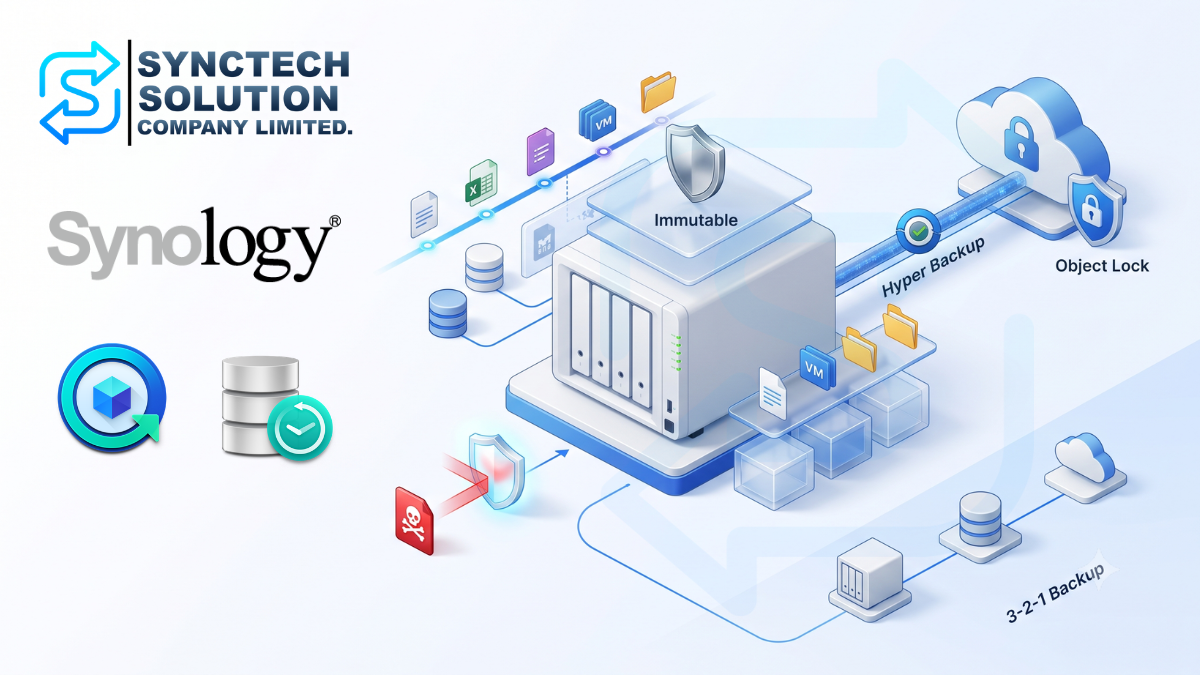
3-2-1 Data Protection
Copy 1: Local Snapshots
Schedule snapshots according to RPO, beginning with an hourly baseline. Use Smart Retention and immutable snapshots for critical data.
Copy 2: Disaster Recovery
Use Snapshot Replication to another PAS7700 or an equivalent all-flash system. Isolate replication traffic and test promotion at the DR site.
Copy 3: Long-Term Archive
Use Hyper Backup to C2 Storage, an HD6500, or another DSM system running Hyper Backup Vault. Separate backup traffic from production.
Snapshot Replication and Hyper Backup do not preserve every LUN or namespace mapping, host group, and permission. Maintain a runbook to reconstruct these settings after DR or restore.
Encryption and Key Management
The PAS7700 supports self-encrypting drives and volume encryption. Configure the key vault before storage creation and store recovery keys securely outside the encrypted volume.
Supported remote KMIP systems can separate keys from data. Never store a recovery key only inside the volume it is intended to unlock.
Monitoring and Alerting
- CPU and memory per controller
- IOPS, throughput, and latency per volume, LUN, or namespace
- Network utilization and packet errors
- Drive health, wear, and temperature
- Capacity and free space
- Failover groups and controller interconnections
- Snapshot, replication, and backup status
- UPS battery and power feed status
Create critical alerts for sustained CPU above 70%, controller failover, degraded RAID, PSU or fan failure, and replication failure. Use at least two notification channels.
Production Readiness Checklist
- Every SSD, RAM module, NIC, HBA, and expansion unit is on the compatibility list.
- Independent power feeds and UPS paths are operational.
- Management and OOB networks are isolated from data networks.
- Switch redundancy is configured and tested.
- Both controllers have identical NIC and memory configurations.
- Dual pools, RAID, and hot spares follow the approved design.
- Volumes and workloads are balanced across both controllers.
- Failover groups include interfaces from both controllers.
- Host MPIO works and path failures have been tested.
- MTU is consistent end to end.
- Snapshots, replication, and Hyper Backup complete successfully.
- Recovery keys are stored separately.
- Alerts reach the responsible team.
- A configuration golden copy is stored outside the system.
- Runbooks exist for failover, giveback, DR, and rollback.
- PAS Software Maintenance Service is valid.
Conclusion
A successful PAS7700 deployment must be engineered as a complete system. All-NVMe storage can be extremely fast, but an unsuitable network, host path, or controller layout simply moves the bottleneck elsewhere.
The most important practices are balancing both controllers, using redundant paths, isolating management and data traffic, maintaining free capacity, scheduling background tasks, testing real failover, and implementing backup and DR independently of the chassis-level active-active architecture.
With a complete storage, network, power, security, and protection design, the PAS7700 can serve as a highly capable primary storage platform for enterprise VMs, databases, AI, EDA, and production workloads.
Sources
- Synology PAS7700 Best Practices Guide, updated May 27, 2026
- Synology PAS Failover Guide, updated May 8, 2026
- Synology PAS7700 Product Manual, updated May 27, 2026
- Synology PAS7700 Datasheet, updated May 13, 2026
- Synology Volume Encryption White Paper
- Synology PAS Webinar Slides
Need expert advice or would like to request a quotation? Contact us today:
E-mail: [email protected]
LINE Official: @sync.co.th

The Company reserves the right to correct any typographical or printing errors and shall not be held liable for any inaccuracies resulting from such errors.
*** This article is the intellectual property of SyncTech Solution Company Limited. Reproduction, modification, or redistribution of this content, in whole or in part, is strictly prohibited without prior written permission from the Company. ***