Synology PAS7700 Review: An All-NVMe Active-Active Storage Platform That Goes Far Beyond a Traditional NAS
Synology is widely known for NAS systems used for file sharing, backup, and collaboration. The PAS7700, however, is not simply a faster NAS or an existing rack system fitted with SSDs. It is an enterprise all-NVMe primary storage platform built around two active controllers, comprehensive file and block protocols, petabyte-scale expansion, and continuous service availability.
The PAS7700 targets workloads that organizations depend on every day: virtual machines, databases, VDI, Kubernetes, AI pipelines, electronic design automation, engineering data, media production, and other latency-sensitive services that cannot tolerate extended downtime.
Its main value is not speed alone. The platform combines very high performance, active-active availability, and large-scale expansion under DSM Enterprise, an operating system designed specifically for the PAS family.
What Is the Synology PAS7700?
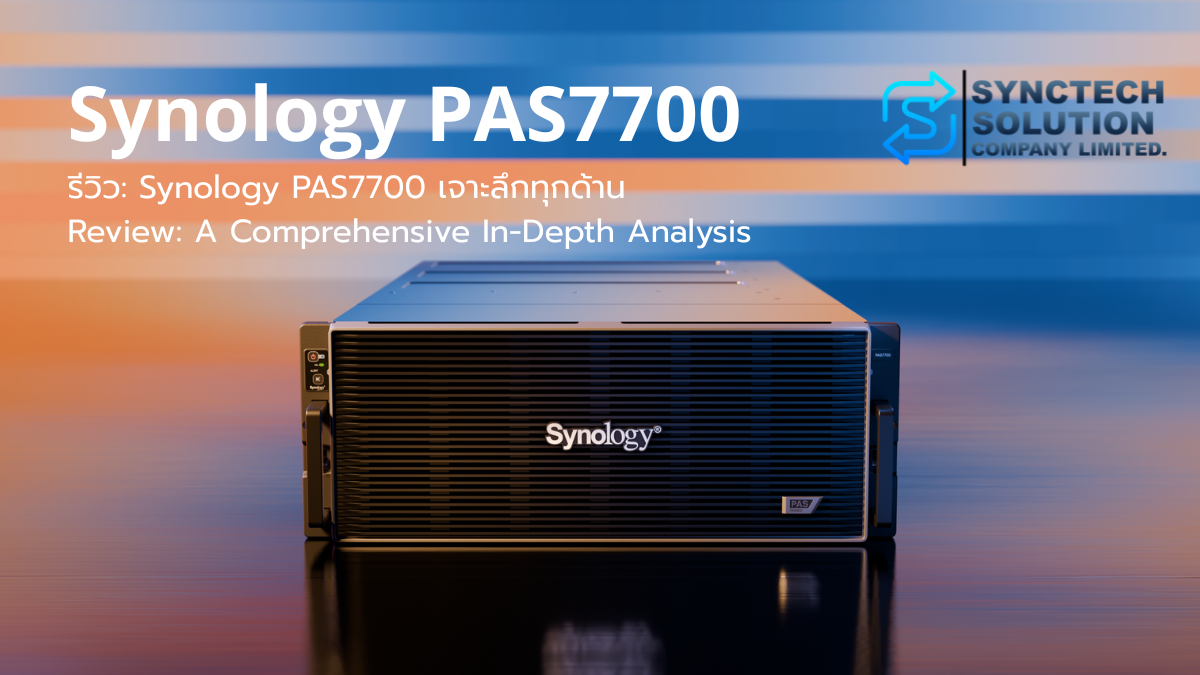
PAS stands for Parallel Active Station. The PAS7700 is a 4U system with 48 front-accessible 2.5-inch U.3 NVMe SSD bays and two controller modules in one chassis.
Each controller uses a 24-core AMD EPYC 7443P processor running at 2.85 GHz base and up to 4.0 GHz turbo. Each starts with 64 GB of DDR4 ECC RDIMM memory and can scale to 1,024 GB, for a total system maximum of 2,048 GB.
Every controller includes two 10GbE RJ-45 data ports, one dedicated 1GbE out-of-band management port, and PCIe Gen4 slots for optional 10/25/100GbE adapters or Fibre Channel HBAs.
| Item | Key specification |
|---|---|
| Form factor | 4U rackmount |
| Controllers | Two active-active controller modules |
| Processor | AMD EPYC 7443P, 24 cores per controller |
| Memory | 64 GB standard, up to 1,024 GB per controller |
| Drive bays | 48 x 2.5-inch U.3 NVMe SSD |
| Maximum expansion | 216 drives with seven PAX224 expansion units |
| Standard networking | 2 x 10GbE per controller |
| Optional connectivity | 10/25/100GbE and Fibre Channel, subject to compatibility |
| Protocols | SMB, NFS, iSCSI, FC, NVMe-TCP, NVMe-FC, NVMe-RDMA |
| RAID | RAID 5, RAID 6, and RAID-TP |
| File system | Btrfs |
| Warranty | Five years, subject to Synology terms |
All-NVMe Means More Than Replacing HDDs with SSDs
A conventional NAS often stores data on HDDs and uses NVMe SSDs as cache. Cache can improve responsiveness for selected data, but most information still resides on rotating media. Random access remains constrained by seek time, rotational latency, and the underlying SATA or SAS architecture.
The PAS7700 uses NVMe SSDs as primary media in every bay. There is no HDD tier behind the cache. Data can travel through an NVMe-oriented path from the host protocol and controller directly to U.3 NVMe SSDs.
NVMe supports far greater command parallelism than older interfaces. This matters when hundreds of VMs, databases, or users generate many small requests at the same time, allowing the PAS7700 to maintain lower latency and more consistent performance than storage built on HDDs or older SSD architectures.
Performance Users Can Feel
A single large-file copy can make an HDD-based NAS with several drives appear fast. Random I/O from databases, VM boot, VDI login, metadata, and large numbers of small files is different because mechanical drives must repeatedly seek data locations.
All-NVMe storage reduces that waiting time. Users experience more than higher MB/s: virtual machines start faster, queries respond sooner, performance remains stable as concurrency grows, and multiple workloads can run more consistently.
What Is End-to-End NVMe?
End-to-end NVMe preserves NVMe communication from the host to the storage media instead of translating commands through several older layers.
The PAS7700 supports NVMe over Fabrics technologies including NVMe-TCP, NVMe-FC, and NVMe-RDMA, while retaining iSCSI, Fibre Channel, SMB, and NFS for compatibility.
Organizations do not have to adopt NVMe-oF for every workload. Existing iSCSI or FC environments can still use the system effectively. NVMe-oF is most useful where hosts, network infrastructure, and latency-sensitive applications are ready for it.
How Active-Active Differs from Traditional NAS HA
In a common active-passive HA pair, one system serves production while the second waits for failure. The standby hardware contributes little to normal performance.
The PAS7700 runs both controllers at the same time. Each controller can own volumes and serve its own workloads. Storage is organized into dual pools, and workloads can be distributed across both controllers.
If one controller becomes unavailable, the partner controller takes over affected storage and network services. When the failed controller returns, giveback restores ownership and rebalances the platform.
Active-Active Does Not Mean Every Volume Is Always Split 50/50
Each volume has an owner controller. Hosts should use the optimal path to that controller to avoid unnecessary cross-controller traffic.
The architecture is active-active because both controllers serve production simultaneously and can take over the partner's resources. It does not mean every I/O request for one volume is always divided equally between controllers.
Performance
Synology reports up to 2,000,000 IOPS for 4K random reads, up to 30 GB/s for sequential reads, and latency below 1 ms in specified internal tests. A simulated 8K SQL workload with 80% reads and 20% writes reached approximately 1,000,000 IOPS.
Synology also presents the PAS7700 as delivering roughly three times the performance of the FS6400 in an internal 8K 80/20 workload at 1 ms latency. Real results depend on drive count, RAID layout, networking, protocol, multipathing, memory, queue depth, and workload.
Why Two Million IOPS Is Not Automatic
Performance at that level requires enough NVMe SSDs, high-speed networking, multiple host paths, sufficient queue depth, several LUNs or namespaces, balanced controller ownership, and hosts capable of generating the workload.
A single 10GbE link will limit sequential throughput even if the array can move data much faster internally. A single SMB client should not be expected to see 30 GB/s because that figure is aggregate system performance under controlled enterprise testing.
Compared with a Traditional NAS
| Area | Typical HDD NAS | PAS7700 |
|---|---|---|
| Primary media | HDD, sometimes with SSD cache | U.3 NVMe SSD in every bay |
| Controllers | Usually one or a separate HA pair | Two active-active controllers |
| Random I/O | Mechanically limited | Designed for large-scale parallel I/O |
| Latency | Several milliseconds or more | Sub-millisecond in suitable workloads |
| Protocols | SMB, NFS, iSCSI | SMB, NFS, iSCSI, FC, and NVMe-oF |
| Typical role | File, backup, archive | VM, database, VDI, AI, EDA, and primary storage |
| Expansion | Model dependent | Up to 216 NVMe drives |
| Availability | Model dependent | Active-active, failover, giveback, rolling updates |
PAX224 Expansion
The PAS7700 provides 48 internal bays and supports up to seven PAX224 expansion units. Each PAX224 adds 24 bays, bringing the total to 216 drives. With 7.68 TB drives, Synology specifies up to approximately 1.65 PB of raw capacity.
Expansion uses a direct-attached Mini-SAS HD architecture from both controllers rather than connecting as independent storage over Ethernet. This helps preserve bandwidth and path reliability.
Synology recommends separate dual pools for the main unit and expansion units and advises against spanning a pool across multiple enclosures. Each RAID array supports up to 24 drives, and capacity design must account for RAID overhead, snapshots, metadata, free space, and hot spares.
Deduplication and Data Reduction
The system supports inline and post-process deduplication. Synology demonstrates a potential 5:1 reduction ratio in a consolidated virtual server environment, but actual savings vary by data type.
VDI, cloned VMs, and operating system images may reduce well. Pre-compressed media, encrypted data, surveillance footage, and some databases may see limited benefit.
The 5:1 figure should not be treated as a guaranteed capacity multiplier. A proof of concept with representative data is recommended.
Smart Tiering
Synology positions the PAS7700 as a hot tier for active VMs, databases, and current projects, while colder data can move to capacity-oriented HD or SA systems.
The current product page states that Synology Tiering is planned for Q4 2026. Any design that depends on tiering should verify feature availability and the required DSM Enterprise version before production.
Supported Protocols
SMB
Suitable for Windows file sharing, office data, CAD, and project folders, with SMB3, ACL integration, domain services, and encryption.
NFS
Common for Linux, VMware, containers, and shared engineering workflows. Current specifications include NFSv3, NFSv4, NFSv4.1, and NFS over RDMA.
iSCSI
A broadly supported block protocol for VMware, Hyper-V, and general server workloads over Ethernet.
Fibre Channel
Suitable for data centers with established FC fabrics. Dual fabrics and host MPIO are required for proper resilience.
NVMe-TCP, NVMe-FC, and NVMe-RDMA
Designed for latency-sensitive workloads with compatible hosts, adapters, and switches. These protocols make fuller use of the all-NVMe platform.
Best-Fit Workloads
- VMware, Hyper-V, and private cloud
- VDI and boot-storm-heavy environments
- SQL Server, Oracle, SAP, and ERP
- AI datasets, inference, preparation, and analytics
- EDA and semiconductor design
- Media, VFX, rendering, and game assets
- AutoCAD, BIM, and engineering files
- Manufacturing, healthcare, and 24/7 systems
- Kubernetes persistent storage
Security and Data Protection
The PAS7700 combines self-encrypting drives, volume encryption, MFA, access controls, VLANs, dedicated management ports, WORM folders, immutable snapshots, Snapshot Replication, and Hyper Backup.
SEDs protect data when drives are removed or stolen. Volume encryption protects data and metadata inside a volume. Encryption is not a substitute for backup and does not stop deletion by an authorized account, so immutable snapshots and independent backups remain essential.
The management network should be isolated from production data traffic and restricted to administrators or jump hosts. Dedicated out-of-band ports provide controller access when DSM Enterprise or the main data network is unavailable.
Active-Active Is Not Backup or Disaster Recovery
Both controllers remain in one chassis and one site. They do not protect against fire, flood, site failure, ransomware affecting privileged accounts, or total chassis loss.
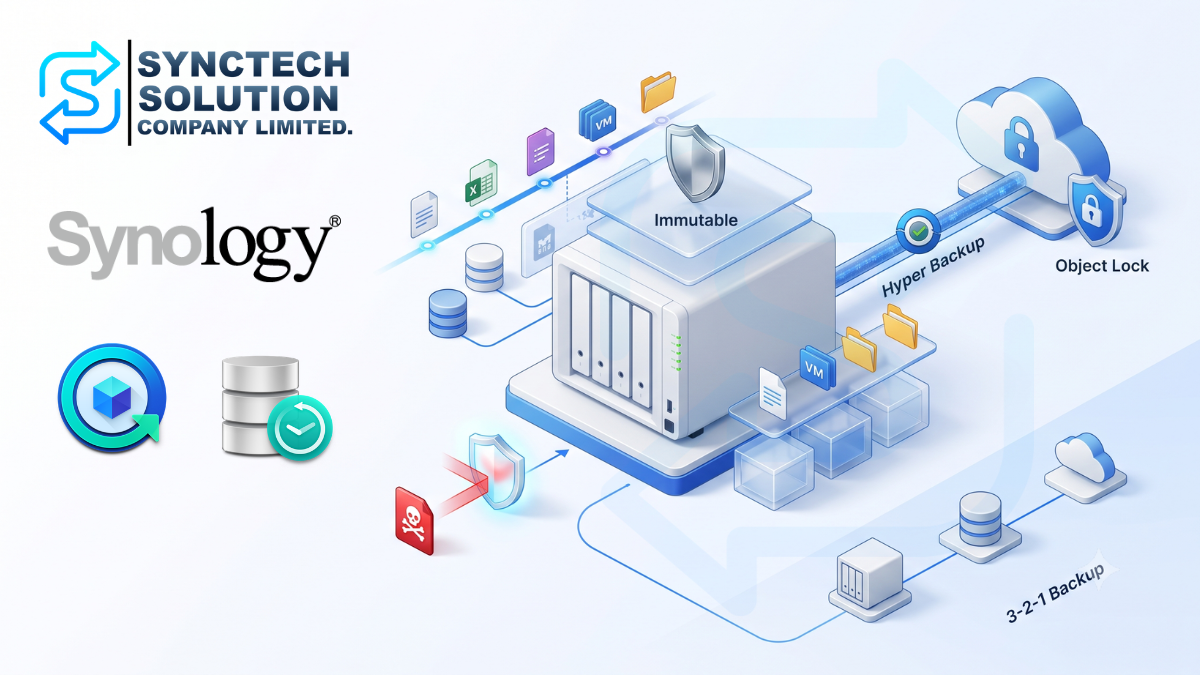
Synology recommends a layered 3-2-1 strategy: production data and local snapshots on the PAS7700, a DR copy through Snapshot Replication to another PAS7700 or equivalent all-flash system, and long-term Hyper Backup copies to C2 Storage or a capacity platform such as the HD6500.
DSM Enterprise
DSM Enterprise adds dual-controller operations, dual pools, failover groups, Continuous Availability Manager, NVMe-oF, MPIO, QoS, and rolling updates while retaining Synology's accessible management approach.
The interface is easier to approach than many traditional SAN platforms, but the PAS7700 still requires serious network, multipath, capacity, monitoring, backup, and failover design.
Key Advantages
- End-to-end all-NVMe U.3 architecture
- Two active-active controllers
- Unified file and block storage
- NVMe-oF, Fibre Channel, and up to 100GbE connectivity
- Up to 2 million IOPS and 30 GB/s in Synology internal testing
- Expansion to 216 NVMe drives
- Deduplication, snapshots, replication, and immutable protection
- DSM Enterprise management
- Rolling updates and automatic failover
- Five-year limited warranty
Limitations and Requirements
- Requires components listed in the Synology compatibility list
- NVMe SSDs, NICs, switches, and host adapters increase project cost
- Specifications list approximately 1,253.76 watts typical and 1,460.64 watts at full load
- Requires 200-240V AC, suitable UPS, cooling, and rack infrastructure
- Data-center noise makes it unsuitable for normal office placement
- A single 1GbE or 10GbE path becomes a bottleneck
- Active-active availability is not backup
- Capacity is divided between controllers and a volume cannot span controllers
- Future features must be verified before purchase
Who Should Consider It?
- Organizations whose VM or database platforms are storage-bound
- Applications that need low and predictable latency
- Factories, hospitals, financial services, and 24/7 operations
- AI, EDA, engineering, media, and VFX teams
- Organizations consolidating file and block storage
- Data centers equipped for 25/100GbE or Fibre Channel
Who May Not Need It?
- Simple file, backup, or archive workloads
- Capacity-heavy but low-IOPS data
- Sites without suitable rack, cooling, UPS, and power
- Networks limited to 1GbE with no upgrade plan
- Organizations without SAN, multipath, and VLAN expertise
Review Verdict
The PAS7700 is not a normal NAS with faster drives. Synology has built a coordinated storage platform in which controllers, network failover, protocols, data protection, and DSM Enterprise work together.
It costs more and requires more engineering than a traditional NAS. For organizations where one hour of storage downtime is extremely expensive, however, active-active controllers, redundant paths, NVMe-oF, and rolling updates address requirements a normal NAS cannot fully meet.
The two-million-IOPS headline needs context. A single switch, one host path, or a badly unbalanced controller layout will leave much of the platform unused. A proper project should include rack, power, network fabric, host multipathing, RAID, monitoring, snapshots, DR, and maintenance services.
Conclusion
The Synology PAS7700 is an all-NVMe active-active primary storage system with two simultaneously operating controllers, 48 internal U.3 NVMe bays, and expansion to 216 drives through seven PAX224 units.
Compared with a normal NAS, the key difference appears in random I/O, latency, concurrent workloads, failover, and enterprise protocols rather than file-copy speed alone.
For simple file or backup storage, it may be excessive. For organizations whose VMs, databases, AI, or production workflows require continuous service and much higher storage performance, the PAS7700 represents Synology's serious entry into enterprise primary storage.
Sources
- Synology PAS7700 Product Page
- Synology PAS7700 Datasheet, updated May 13, 2026
- Synology PAS7700 Best Practices Guide, updated May 27, 2026
- Synology PAS Failover Guide, updated May 8, 2026
- Synology PAS7700 Product Manual, updated May 27, 2026
- Synology Volume Encryption White Paper
- Synology PAS Webinar Slides
Note: Performance figures are based on Synology internal testing. Actual results depend on drives, RAID, networking, protocols, host configuration, and workload. Verify current compatibility and feature availability before production deployment.
Need expert advice or would like to request a quotation? Contact us today:
E-mail: [email protected]
LINE Official: @sync.co.th

The Company reserves the right to correct any typographical or printing errors and shall not be held liable for any inaccuracies resulting from such errors.
*** This article is the intellectual property of SyncTech Solution Company Limited. Reproduction, modification, or redistribution of this content, in whole or in part, is strictly prohibited without prior written permission from the Company. ***