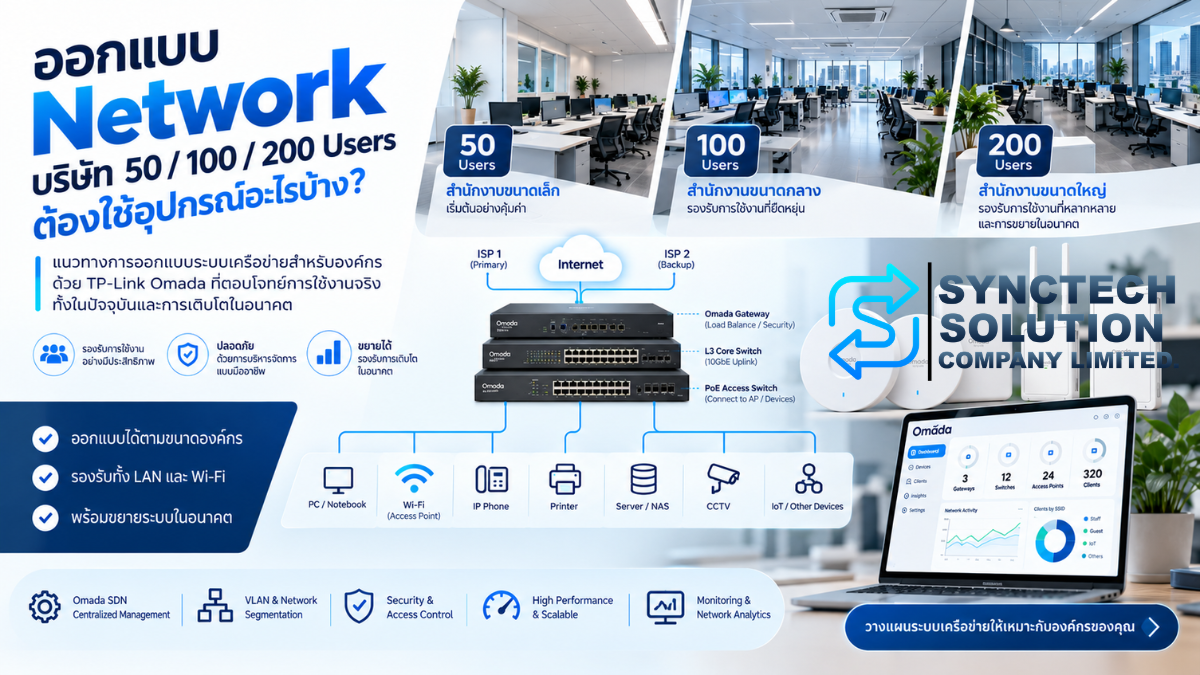
An office with 50, 100 or 200 employees should begin with its devices and workloads, then work out access ports, Wi-Fi coverage, PoE, uplinks and security. Employee count helps establish scale. It does not determine a complete network bill of materials.
This guide develops three TP-Link Omada reference designs using products listed by SyncTech when researched on 7–8 October 2026. They illustrate design decisions rather than prescribe identical equipment for every office. The product pages reviewed show preorder availability; a listing confirms an offering, not immediate stock. Hardware version, region, firmware and delivery availability must be confirmed before procurement.
50 users does not mean 50 devices
A person may bring a notebook, smartphone and tablet. Printers, phones, cameras, NVRs, NAS, servers, access control, meeting displays and IoT add connections without adding employees. Count wired endpoints, connected wireless clients and concurrently active wireless clients separately. A connected smartphone may generate little traffic; a notebook uploading a backup can occupy substantial capacity.
Our inventory counts each computer once, as either wired or wireless. If a docked notebook actively uses both interfaces, add the extra logical connection. APs, switches, gateways and controllers are infrastructure, counted separately from endpoints.
| Planning assumption | 50 users | 100 users | 200 users |
|---|---|---|---|
| Area / floors | 300 m² / 1 | 700 m² / 2 | 1,400 m² / 3 |
| Computers: wired + Wi-Fi | 20 + 30 | 60 + 40 | 140 + 60 |
| Smartphones / wireless IoT | 45 / 4 | 90 / 8 | 180 / 20 |
| Printers / cameras / NVRs | 3 / 8 / 1 | 6 / 16 / 1 | 10 / 50 / 2 |
| NAS / VM servers / backup servers | 1 / 0 / 0 | 1 / 1 / 1 | 2 / 2 / 1 |
| Meeting equipment / IP phones | 2 / 0 | 4 / 6 | 8 / 24 |
| Wired / wireless endpoints | 35 / 79 | 96 / 138 | 239 / 260 |
| Total endpoints | 114 | 234 | 499 |
| Assumed peak active Wi-Fi clients | 45 | 80 | 150 |
Areas and active-client figures are hypothetical requirements, not coverage claims or TP-Link recommendations. Including the proposed network infrastructure brings the respective device inventories to 121, 247 and 523.
Two offices with 100 employees can need very different networks
Company A mainly uses Microsoft 365, email and web applications. Its important constraints may be Internet upload, video-call quality and meeting-room Wi-Fi. Company B has the same workforce but also CAD, video editing, VM servers, NAS backups and 50 continuously streaming cameras. Its LAN carries substantial east-west traffic—traffic between internal devices—without crossing the Internet connection.
Start with application requirements, concurrency and traffic destinations. Then follow the chain: users → devices → applications → traffic → wired/wireless access → PoE → uplinks → core → gateway/Internet → VLAN/security → monitoring → expansion. The reference designs below assume different workloads as well as different headcounts.
Reference design: a 50-user office
Requirement: a single-floor office using cloud applications, ordinary file access and occasional conferencing. It has 114 endpoints, including 35 wired and 79 wireless devices; the provisional peak is 45 active Wi-Fi clients. Three APs are starting positions for a survey, not a guaranteed coverage result.
Internet: 1 Gbps primary; optional independent backup
                         │
                    ER707-M2
                    1GbE LAN
                         │
                      SG3428 ── 18 PCs / 1 printer / NAS
                  1GbE copper inter-switch
                         │
                     SG3428XMP
                      ├─ 3 × EAP650
                      ├─ 8 cameras
                      ├─ 2 PCs / 2 printers / NVR / 2 meeting devices
                      └─ OC200 (management / PoE)
| Model | Quantity | Purpose and selection reason |
|---|---|---|
| ER707-M2 | 1 | Gateway with multi-WAN options; use a 1GbE LAN transit for this modest cloud workload. |
| OC200 | 1 | Central management of six network devices: gateway, two switches and three APs. |
| SG3428 | 1 | 24 × 1GbE copper ports and four 1GbE SFP slots for ordinary access. |
| SG3428XMP | 1 | 24 × 1GbE PoE+ ports, four 10GbE SFP+ slots and a 384 W PoE budget. |
| EAP650 | 3 provisional | Wi-Fi 6 APs for office coverage; their 1GbE uplinks match this access layer. |
Product references: ER707-M2 TH V1.30 / SyncTech; OC200 TH V3 / SyncTech; SG3428 TH V2.30 / SyncTech; SG3428XMP TH V3.20 / SyncTech. AP references appear below the design comparison.
Port check: 35 endpoints + 3 APs + 1 controller + 1 gateway connection + 2 inter-switch link ends = 42 of 48 copper ports, leaving six. One feasible allocation uses 22/24 ports on SG3428 (18 PCs, one printer, NAS, gateway and inter-switch link) and 20/24 on SG3428XMP (two PCs, two printers, NVR, two meeting devices, eight cameras, three APs, OC200 and inter-switch link). This leaves two and four ports respectively; adjust the allocation to actual cable locations. The SG3428 SFP slots are 1GbE; they cannot provide a 10GbE uplink. The baseline uses copper for the inter-switch connection.
PoE check: reserve 3 × 30 W for AP ports, 8 × 15.4 W for assumed 802.3af cameras and 15.4 W for the OC200: 228.6 W across 12 ports, within the selected switch's 384 W budget. These are design reservations, not measured device consumption.
Upgrade option: replace SG3428 with SG3428X if file transfers justify a 10GbE inter-switch link. Its four 10GbE SFP+ ports are verified on TH V1.30 (SyncTech). Revisit native 2.5GbE access and PoE if changing APs. A costly enterprise core or 10GbE NAS connection is unnecessary for the assumed light workload.
Reference design: a 100-user office
Requirement: two floors, centrally managed Wi-Fi, two independent ISPs, VLAN separation, a local NAS and VM server. The inventory has 234 endpoints: 96 wired and 138 wireless, with 80 active wireless clients assumed at peak.
ISP 1: 1GbE ─┐
              ├─ ER8411 ── 10GbE LAN ── SX3008F core
ISP 2: 1GbE ─┘                           ├─ 10G ─ SG3452X
                                         ├─ 10G ─ SG3428X
                                         ├─ 10G ─ SG3428XMP ─ cameras / phones / OC200
                                         ├─ 10G ─ SG3218XP-M2 ─ 6 × EAP670 at 2.5G
                                         ├─ 10G ─ NAS
                                         └─ 10G ─ VM server
Backup server: 1GbE access port; scheduled backup window
| Model | Quantity | Purpose and selection reason |
|---|---|---|
| ER8411 | 1 | Two 1GbE copper WAN connections; reserve its 10GbE WAN/LAN SFP+ port for the core. |
| OC200 | 1 | Manage 12 network devices; endpoint count is a separate consideration. |
| SX3008F | 1 | Eight 10GbE SFP+ ports; L2+ aggregation with security VLAN routing at the gateway. |
| SG3452X | 1 | 48 × 1GbE copper access ports and four 10GbE SFP+ uplinks. |
| SG3428X | 1 | 24 × 1GbE access ports and 10GbE uplinks. |
| SG3428XMP | 1 | PoE+ for 16 cameras, six phones and the controller. |
| SG3218XP-M2 | 1 | 16 × 2.5GbE ports, eight supporting PoE+, plus two 10GbE SFP+ uplinks. |
| EAP670 | 6 provisional | Wi-Fi 6 with native 2.5GbE uplinks; place after coverage and capacity assessment. |
Additional references: ER8411 TH V1.20 / SyncTech; SX3008F TH V1.2 / SyncTech; SG3452X TH V1.20 / SyncTech; SG3218XP-M2 TH V1 / SyncTech. The reviewed SG3218XP-M2 version has eight PoE+ ports, not sixteen.
Engineering checks: the core uses seven of eight SFP+ slots: gateway, four access switches, NAS and VM server. Copper use is 96 wired endpoints − 2 hosts connected directly to the core + 6 APs + 1 controller = 101 of 112 ports. NAS and VM connections require compatible 10GbE NICs and media.
The SG3428XMP reserves 354.2 W for 23 assumed 802.3af devices, including the OC200. Its remaining PoE expansion margin is limited to 29.8 W and one PoE port under these reservations. If several cameras or phones will be added, consider a separate switch or SG3452XP, whose TH V2.20 specification provides 48 PoE+ ports and a 500 W budget, then recalculate the port and power plan. Six AP ports reserve 180 W of the SG3218XP-M2's 240 W. The backup server remains on 1GbE under a scheduled-window assumption; frequent simultaneous backups would change that choice.
Upgrade or budget alternative: SX3016F provides more core ports when additional hosts or link aggregation are required. For a cloud-focused office with little local traffic, ER7412-M2 and a native 2.5GbE SG3210X-M2 transit can be considered instead. ER7412-M2 has no 10GbE interface, and SG3210X-M2 has no PoE; this alternative needs its own revised port diagram. References: ER7412-M2 TH V1.30 / SyncTech; SG3210X-M2 TH V1 / SyncTech.
Reference design: a 200-user office with substantial internal traffic
Requirement: three floors, local servers, storage, backups and 50 cameras, with planned expansion. There are 499 endpoints: 239 wired and 260 wireless; 150 active wireless clients is a provisional peak. The larger core is justified by this workload and port growth, not by 200 employees alone.
Two independent 1GbE ISPs
              │
           ER8411
           10GbE LAN
              │
       SX6632YF L3 core
          ├─ 10G ─ 3 × SG3452X ─ wired users / printers
          ├─ 10G ─ 4 × SG3428XMP ─ cameras / IP phones
          ├─ 10G ─ 2 × SG3218XP-M2 ─ 12 × EAP772 at 2.5G
          ├─ 10G ─ 2 × NAS
          ├─ 10G ─ 2 × VM servers
          └─ 10G ─ backup server
OC300: management VLAN, AC power protected by UPS
| Model | Quantity | Purpose and selection reason |
|---|---|---|
| ER8411 | 1 | Internet, VPN and security gateway; two 1GbE WANs and one 10GbE LAN transit. |
| OC300 | 1 | Manage 23 network devices with room for operational growth. |
| SX6632YF | 1 | L3 core with 26 × 1/10GbE SFP+ and six 10/25GbE SFP28 slots. |
| SG3452X | 3 | 144 ordinary 1GbE access ports in total. |
| SG3428XMP | 4 | Distribute camera and phone power across separate access switches. |
| SG3218XP-M2 | 2 | Native 2.5GbE AP access; six APs use six of each unit's eight PoE+ ports. |
| EAP772 | 12 provisional | Tri-band Wi-Fi 7 for compatible clients, subject to radio survey and regional requirements. |
Additional references: OC300 TH V1.20 / SyncTech; SX6632YF official page, supported by the UN V1.0 datasheet / SyncTech. Delivery region and hardware revision require confirmation.
The core uses 15 of 26 10GbE ports: one gateway, nine switches and five servers/storage hosts. The six 25GbE slots remain unused. Copper use is 239 wired endpoints − 5 direct-core hosts + 12 APs + 1 controller = 247 of 272 ports, leaving 25.
Distribute 74 assumed 802.3af cameras and phones across the four SG3428XMP units: two use 19 PoE ports and reserve 292.6 W each; two use 18 and reserve 277.2 W each. Each multigigabit switch reserves 180 W for six APs. Recalculate using actual device power classes before ordering.
Cost and resilience choices: a lower-cost SX3016F is possible if gateway-based routing meets the measured workload, but this arrangement would occupy 15 of its 16 SFP+ ports, leaving little growth. It supports L2+ static routing, so basic inter-VLAN routing alone does not require a true L3 model. Future dynamic-routing, availability and port-growth requirements should justify the larger core. Official TH V1.20 / SyncTech.
SX6632YF supports two power modules but ships with one PSM550-AC; a second is a separate purchase. A second core, stacking or LAG requires compatibility and failure testing. Consider 25GbE only when measured server, storage or backup traffic—or a verified stacking design—justifies it.
Compare the three starting designs
| Users | Gateway | Controller | Core | Access / PoE switches | APs | Backbone |
|---|---|---|---|---|---|---|
| ~50 | ER707-M2 | OC200 | Combined access | SG3428 × 1; SG3428XMP × 1 | EAP650 × 3 | 1GbE baseline |
| ~100 | ER8411 | OC200 | SX3008F | SG3452X × 1; SG3428X × 1; SG3428XMP × 1; SG3218XP-M2 × 1 | EAP670 × 6 | 10GbE uplinks; 2.5GbE AP access |
| ~200 | ER8411 | OC300 | SX6632YF | SG3452X × 3; SG3428XMP × 4; SG3218XP-M2 × 2 | EAP772 × 12 | 10GbE uplinks; 2.5GbE AP access |
All quantities and models are reference designs. Survey the premises and confirm applications, security, power and expansion requirements before production deployment.
AP specifications: EAP650 TH V1 has Wi-Fi 6, 2.4/5 GHz, 574/2,402 Mbps maximum signal rates, 1GbE and PoE+ (SyncTech). EAP670 TH V1 has Wi-Fi 6, 2.4/5 GHz, 574/4,804 Mbps rates, 2.5GbE and PoE+ (SyncTech). EAP772 EU V1 on the Thai site has Wi-Fi 7, 2.4/5/6 GHz, 574/2,880/5,760 Mbps rates, 2.5GbE and PoE+ (SyncTech). Signal rates are PHY figures, not application throughput.
When should an office use 2.5GbE, 10GbE or 25GbE?
1GbE remains useful for normal desktops, printers and many cloud applications. 2.5GbE suits compatible high-performance APs, workstations or NAS. 10GbE commonly benefits switch uplinks, file servers, NAS and virtualization hosts. 25GbE belongs in a workload discussion about storage, servers and aggregation—not a headcount rule.
Check where simultaneous flows converge. Forty 1GbE access ports can contend for one 1GbE uplink even when each user sends much less than 1 Gbps. Conversely, a largely idle switch does not need faster uplinks merely because it has many ports. Switching capacity describes the switch fabric; it does not guarantee equivalent routed, encrypted or inspected throughput.
Gateway interfaces also have roles. ER8411 has one dedicated 10GbE WAN SFP+ port and one 10GbE WAN/LAN SFP+ port. Our design assigns the latter to LAN and uses two copper 1GbE WAN ports. Two WANs above 1Gbps plus a 10GbE LAN require a separately reviewed interface plan.
| Gateway / official scope | Published static NAT results | Published IPsec result: ESP-SHA256-AES256 |
|---|---|---|
| ER707-M2 TH V1.30 | 2,365.17 / 2,364.45 Mbps | 650.2 Mbps |
| ER7412-M2 TH V1.30 | 2,345.71 / 2,351.22 Mbps | 1,133.1 Mbps |
| ER8411 TH V1.20 | 9,445.82 upload / 9,449.26 download Mbps | 2,928.4 Mbps |
These benchmarks come from the respective official pages linked above; NAT and VPN are different workloads. Full packet-size, stream-count, firmware and enabled-security test conditions were not established: NEEDS VERIFICATION before treating them as sizing evidence for a particular deployment. A 10GbE port does not promise 10Gbps through every security policy or VPN configuration.
Wi-Fi design: coverage and airtime before client limits
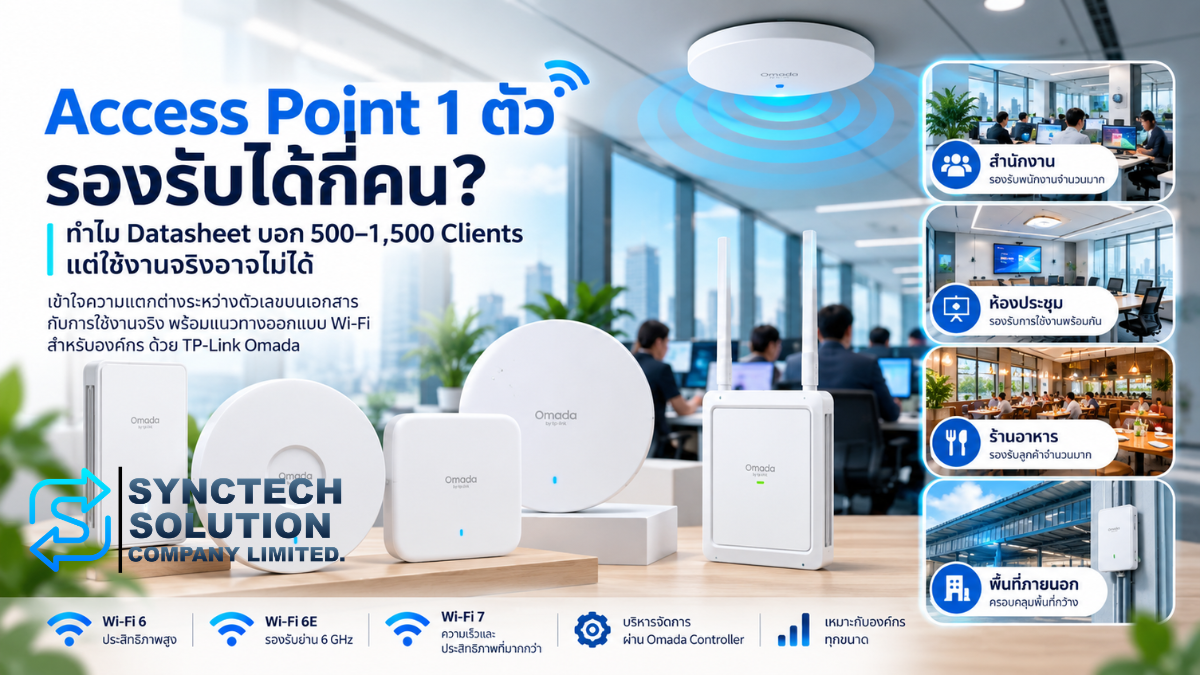
Do not calculate AP quantity as total users divided by the datasheet's maximum clients. One AP advertised for hundreds of connections may encounter coverage or airtime limits first: clients share radio transmission time. Our three, six and twelve APs are provisional; open offices, meeting rooms, classrooms and cafeterias need different density and placement.
Measure RSSI, received signal strength, and SNR, signal strength relative to noise. Examine channel utilization, retransmissions, latency and interference. Nearby APs on the same channel share airtime; adding more APs at high transmit power can increase contention. Building walls, glass, shelves and roaming routes matter.
Channel widths of 20/40/80/160 MHz trade channel reuse against peak link rate. Wider channels do not automatically improve a dense office. The 2.4 GHz band has limited reuse; 5 GHz often carries business clients; 6 GHz requires compatible devices and permitted regional operation. Wi-Fi 6E adds 6 GHz to Wi-Fi 6, while Wi-Fi 7 brings additional capabilities whose benefit depends on client support and configuration.
OFDMA schedules smaller transmissions; MU-MIMO can serve compatible clients using multiple spatial streams. These mechanisms improve efficiency under suitable conditions rather than remove airtime limits. Client antennas, streams and PHY rate affect real throughput. Backhaul, PoE and application behavior can remain bottlenecks after upgrading an AP.
Fast roaming, band steering and load balancing depend on AP, controller, firmware and client support. Roaming decisions also involve the client. Verify the intended combination in the official Omada compatibility list and test it. See how many users one access point can support and planning an enterprise Wi-Fi 7 upgrade.
Official radio-efficiency references: Wi-Fi 6, OFDMA and MU-MIMO; MLO and client-support conditions.
VLANs: decide who can talk to whom
A VLAN separates a broadcast domain. Security comes from the routing and access policies between those domains, not the VLAN number itself. Use this example as a discussion with the business:
| VLAN | Role | Policy objective |
|---|---|---|
| 10 | Management | Administrator access to network equipment. |
| 20 | Staff | Approved business applications and services. |
| 30 | Servers | Explicit access to server ports and backup destinations. |
| 40 | CCTV | Camera-to-NVR flows and controlled administration. |
| 50 | Voice | Approved telephony services and QoS planning. |
| 60 | IoT | Only required services and destinations. |
| 70 | Guest Wi-Fi | Internet access with internal-resource restrictions. |
The 50- and 100-user examples route security VLANs at the gateway. In the heavy 200-user example, the core owns Staff 20, Server 30 and transit VLAN 99; the gateway owns Management, CCTV, Voice, IoT and Guest interfaces. Define return routes, NAT for downstream subnets, DHCP ownership or relay, and ACLs together. A switch ACL is not a stateful firewall. Put traffic through the security gateway where stateful inspection is required; avoid accidentally bypassing it through core routing.
Size IP address pools separately from switch ports. In the 200-user scenario, 200 computers and 180 staff smartphones can require 380 staff leases before visitors or additional devices. A single /24 subnet should not be chosen automatically. Plan subnet size, DHCP lease time, reservations and growth, with a separate guest scope and explicit ownership for each DHCP service.
PoE: count watts as well as ports
A 24-port PoE switch cannot necessarily supply every port at maximum power simultaneously. Check per-port standard, total budget, device power class and startup behavior. At the power-sourcing equipment, PoE/802.3af provides up to 15.4 W, PoE+/802.3at 30 W, and PoE++/802.3bt Type 3 or 4 up to 60 or 90 W; less reaches the powered device because of cable losses. These distinctions appear in the official Omada PoE guide.
Our AP reservations use 30 W per PoE+ port and cameras/phones use an assumed 15.4 W class. Actual camera heaters, IR lighting, phones and peripherals can change the requirement. Include controller power, cable quality, UPS input load and future devices. The EAP783 illustrates why the standard matters: its official page specifies PoE++, so ordinary PoE+ should not be assumed sufficient. Official EAP783 / SyncTech.
How much Internet bandwidth do 50, 100 or 200 users need?
Estimate simultaneous application traffic rather than assign Mbps to employee count. Web/email, Microsoft 365, Google Workspace, Teams, Zoom, cloud ERP, streaming and large transfers differ in upload, burst behavior and sensitivity to delay.
| Hypothetical concurrent activity | Sessions | Assumed Mbps per session: down / up | Total down / up |
|---|---|---|---|
| Video meetings | 25 | 5 / 3 | 125 / 75 |
| Cloud and web applications | 55 | 2 / 0.5 | 110 / 27.5 |
| Mobile background traffic | 40 | 0.2 / 0.05 | 8 / 2 |
| Total before backup | 120 | 243 / 104.5 Mbps |
These invented traffic assumptions explain the method; they are not Microsoft, Google or conferencing-service requirements. The download sum is 125 + 110 + 8 = 243 Mbps. Add a concurrent 100 Mbps cloud backup and upload demand becomes 204.5 Mbps. Then examine measurement, burst margin, backup scheduling and business priorities. A fast download package may still have inadequate upload.
Measure latency, packet loss and jitter, not bandwidth alone. Consider the ISP's SLA, repair time, access technology and route diversity. Load balancing distributes sessions across WANs; failover moves traffic when a connection fails. Two 1Gbps WANs do not guarantee one download at 2Gbps. A single flow normally uses one selected WAN, and a changed public IP can interrupt sessions. TP-Link explains multi-WAN session behavior.
NAS, cameras, fiber and the physical installation
A 1Gbps Internet service says little about LAN backup capacity. NAS, CAD files, video, VMs and CCTV can compete internally. Link aggregation can distribute multiple flows across links, but generally does not multiply a single flow's speed; both ends and the hashing policy must support the design.
The listed DS1825+ has two native 2.5GbE ports, not native 10GbE. A compatible E10G30-F2 adds dual 10GbE SFP+ ports; our baseline uses one link per NAS. Official NAS specifications / official NIC compatibility. VM and backup server NIC SKUs, and qualified media at the NAS end, remain NEEDS VERIFICATION.
Fifty continuously streaming cameras require camera-to-NVR, storage and uplink planning. Obtain codec, resolution, frame rate, recording and viewing requirements rather than assume a fixed bitrate. A separate VLAN helps control access; it does not remove traffic from shared uplinks.
For fiber, match speed, wavelength, fiber type, distance and both endpoint compatibility lists. SyncTech lists SM5110-SR (10GBASE-SR, multimode), SM5110-LR (10GBASE-LR, single-mode), and SM5220-1M (1 m 10GbE DAC). Official scopes: SR V1.30, LR V2, DAC V2. Cross-vendor qualification remains pending.
Specify rack depth, airflow, patch panels, cable management, certified CAT6/CAT6A runs and fiber pathways. Exact rack, horizontal-cable and patch-panel SKUs remain NEEDS VERIFICATION. Size UPS from actual AC load, including PoE and losses, and required runtime; an exact UPS configuration also requires a load survey. Coordinate grounding, labeling and installation acceptance tests.
Management, resilience and capacity headroom
Controller sizing concerns managed network devices, not employee count. Current OC200 TH V3 recommends managing 25 Omada devices; our examples manage six and twelve. OC300 TH V1.20 lists 500 APs, 100 gateways and up to 100 switches. The reviewed current pages do not give a numeric client capacity; do not import older-version figures. OC300 is selected for growth and operations, not because 200 employees mandate it.
Omada Software Controller offers self-hosted management with server-dependent sizing. The Cloud-Based Controller requires edition, licensing and model/version compatibility checks. Centralize inventory, firmware planning, client monitoring, alerts and configuration backups. Controller availability matters for management and controller-dependent functions; it is not the same as a traffic-forwarding failure.
Dual ISP, UPS, LAG, RSTP/loop protection and configuration recovery address different failures. A single gateway and core remain failure points. Redundant power supplies do not create a redundant gateway. Add resilience according to downtime cost, then test failures and restoration.
Reserve capacity where growth will occur: ports per floor, PoE watts, fiber cores, SFP+ slots, radio airtime, Internet upload, rack space and UPS load/runtime. There is no universal headroom percentage. Document expected growth and the next expansion step; do not consume every maximum specification on day one.
Twelve common network-design mistakes
- Selecting AP quantity from maximum client limits.
- Counting employees while omitting phones, cameras and infrastructure.
- Buying exactly enough ports without checking each floor.
- Counting PoE ports without calculating power.
- Letting busy switches converge on an inadequate uplink.
- Assuming SFP means 10GbE, or every multigigabit port has PoE.
- Putting staff, cameras, IoT and guests together without access policies.
- Using Wi-Fi for every stationary device despite predictable wired workloads.
- Assuming two WANs or a LAG doubles one transfer.
- Omitting UPS, loop protection or recovery tests.
- Keeping no diagram, port labels or configuration backups.
- Deploying without monitoring or acceptance measurements.
A checklist before requesting a network design
- People and devices: employees, growth, computers, smartphones, LAN points, wireless clients and concurrent activity.
- Workloads: applications, Internet upload/download, servers, NAS, backups, CCTV, NVR, IP phones, IoT and meeting equipment.
- Premises: floor plans, materials, Wi-Fi density, roaming, rack locations, cable routes, fiber and UPS runtime.
- Policies: VLANs, guest access, security inspection, remote access, DHCP, routing and permitted flows.
- Operations: PoE budget, uplinks, redundancy, monitoring, documentation, backup configuration and expansion budget.
Frequently asked questions
How many APs does a 50-person company need?
Our example starts with three. Coverage, materials, active clients and applications determine the final number after survey and testing.
How many switch ports should a 100-person company buy?
Count wired endpoints and infrastructure connections by location. This example occupies 101 of 112 copper ports, with two servers connected directly to the core.
Does a 200-person company need 10GbE?
Local servers, backups and converging switch traffic may justify it. Employee count alone does not establish that requirement.
Is 1GbE still sufficient for office clients?
Often, for ordinary web and cloud work. Check simultaneous file transfers and shared uplinks before upgrading every desktop.
Is 2.5GbE necessary?
Use it where compatible APs, workstations or NAS can benefit. It is not a universal requirement for all access ports.
Which VLANs should an office separate?
Management, staff, servers, CCTV, voice, IoT and guests are useful starting roles. Define access rules according to business requirements.
Should we have two Internet connections?
Compare outage impact with cost and operating complexity. Independent failure paths and tested failover matter more than having two contracts.
Do we need an Omada Controller?
Central management is useful across multiple devices. Choose hardware, software or cloud management after checking scale, features and compatibility.
How should we choose a PoE switch?
Verify port speeds, required PoE standards, per-port power, total budget, uplinks and expansion. Check actual device requirements.
Should an office choose Wi-Fi 6 or Wi-Fi 7?
Consider clients, radio environment, expected lifetime and budget. Wi-Fi 7 benefits require compatible clients and supporting infrastructure.
Plan the solution before selecting equipment
A useful network design explains how devices and applications shape Wi-Fi, wired access, PoE, storage traffic, security and future growth. For storage planning, see common NAS misconceptions and snapshots, immutable backup and the 3-2-1 approach.
SyncTech provides network survey, design, installation and support for offices, factories, schools, restaurants, hotels and organizations. An Omada solution can coordinate gateway, core/access switching, PoE, Wi-Fi, VLANs and monitoring around actual requirements. Contact SyncTech to assess the premises, workloads and budget before deciding on equipment quantities.
Contact SyncTech to assess your network requirements and discuss an appropriate solution.
Need expert advice or would like to request a quotation? Contact us today:
E-mail: [email protected]
LINE Official: @sync.co.th

The Company reserves the right to correct any typographical or printing errors and shall not be held liable for any inaccuracies resulting from such errors.
*** This article is the intellectual property of SyncTech Solution Company Limited. Reproduction, modification, or redistribution of this content, in whole or in part, is strictly prohibited without prior written permission from the Company. ***