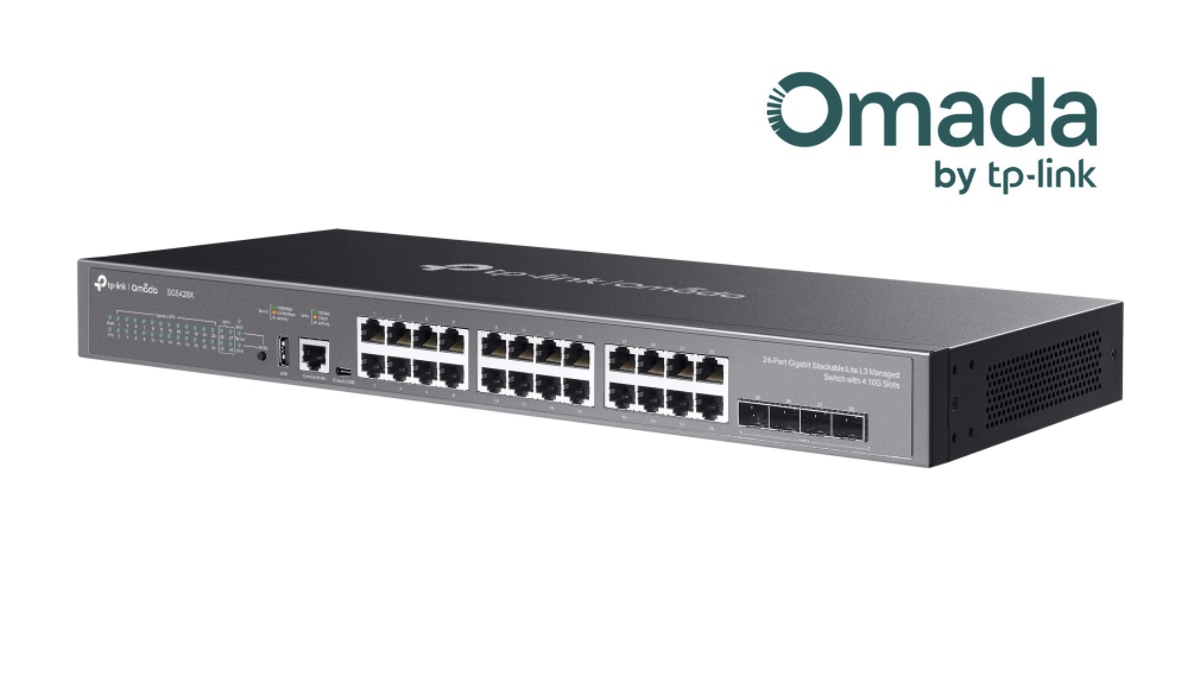
Network Switch is an important device in a network system. It functions to connect various devices within the network, such as computers, access points, IP phones, CCTV cameras, NAS, servers, and IoT devices, enabling them to communicate and transmit data efficiently.
Nowadays, a switch is not just a device for “adding LAN ports,” but also plays an important role in network management, such as separating VLANs, controlling traffic, providing PoE power to Access Points or IP Cameras, connecting high-speed uplinks, and managing through a controller or cloud system.
This article will explain the types of Network Switches based on their usage, along with guidelines for choosing a Switch suitable for homes, home offices, businesses, and organizations, using TP-Link Omada as an example. It is a network system commonly used in shops, restaurants, offices, hotels, schools, multi-story buildings, and businesses that require centralized network device management.
What is a Network Switch?
Network Switch is a device used to connect multiple devices in a LAN network together. The switch learns which device is on which port through the MAC Address and then sends data to the correct destination port, making data transmission more efficient and reducing data collisions on the network.
Examples of devices that are often connected to a Switch include
- Computers and Notebooks
- Access Points for Wi-Fi
- IP Cameras or CCTVs
- IP Phones
- NAS and Servers
- Printers
- Gateways or Routers
- Controllers or Network Management Devices
Why is choosing the right switch important?
If an inappropriate switch is chosen for the task, it may cause the network system to be slow and unstable, cameras or access points may not have enough power, the Wi-Fi system may not operate at full performance, or it may be difficult to expand the system in the future.
Things to consider before choosing a Switch include
- Number of ports required
- Port speed, such as 1GbE, 2.5GbE, 10GbE, or 25GbE
- Need PoE, PoE+, or PoE++?
- Number of Access Points, IP Cameras, or IP Phones
- Need VLAN to separate networks?
- Need to manage through Omada Controller?
- Is there an uplink to Gateway, NAS, Server, or main Switch that requires high speed?
- Need fiber connection between Rack cabinets, between floors, or between buildings?
- Need a system that can expand in the future?
1. Types of Switches by Operational Level
Layer 2 Switch
Layer 2 Switch operates at the Data Link Layer and uses MAC Addresses to transmit data within the network. It is suitable for general LAN systems, such as homes, offices, shops, or small to medium-sized organizations.
Commonly Found Features
- MAC Address Learning
- VLAN
- QoS
- STP / RSTP
- Link Aggregation
- Port Mirroring
Suitable for: Network systems that focus on connecting devices within a LAN and do not require complex routing
Layer 2+ Switch
Layer 2+ Switch is a switch that has more features than a standard Layer 2, such as Static Routing, ACL, or advanced traffic control features. It is suitable for organizations that need to separate multiple VLANs but do not yet require a full Layer 3 Switch.
Suitable for: Small to medium-sized businesses, systems with multiple VLANs, CCTV systems, multiple SSID Wi-Fi systems, and systems that require management through Omada Controller
Layer 3 Switch
Layer 3 Switch supports routing between VLANs or subnets. It is suitable for organizations with network structures across multiple departments, VLANs, or buildings.
Commonly Found Features
- Inter-VLAN Routing
- Static Routing
- ACL
- DHCP Server / DHCP Relay in some models
- Routing between internal networks
- Suitable for systems that need to reduce the burden on the Router or Gateway
Suitable for: medium to large offices, schools, hotels, factories, or organizations that need to systematically separate multiple network segments
2. Types of Switches by Management Characteristics
Unmanaged Switch
Unmanaged Switch is a Plug & Play Switch that requires no configuration. You just plug in the LAN cable and it works. It is suitable for homes or small offices that do not need VLAN or Traffic control.
Advantages
- Easy to use
- Affordable price
- No setup required
Limitations
- Cannot separate VLANs
- No monitoring system
- Not suitable for business systems that require network control
Easy Smart / Smart Switch
Smart Switch or Easy Smart Switch is between Unmanaged and Managed Switch. It supports some basic settings such as VLAN, QoS, Loop Prevention, or Port Mirroring. It is suitable for users who want more control over the system but do not want complicated settings.
Suitable for: Home offices, shops, small offices, and systems that are beginning to segment devices
Managed Switch
Managed Switch is a switch that can be configured in detail, such as VLAN, QoS, STP, ACL, Link Aggregation, SNMP, CLI, Port Security, and port status monitoring. It is suitable for business and organizational systems.
If used with the TP-Link Omada SDN system, you can manage Switches, Access Points, and Gateways centrally through the Controller, allowing you to view device status, configure VLANs, monitor Clients, and manage the network more conveniently.
Suitable for: organizations, hotels, schools, restaurants, offices, warehouses, and networks that require stability
3. Types of Switches by Connection Characteristics
Ethernet Switch
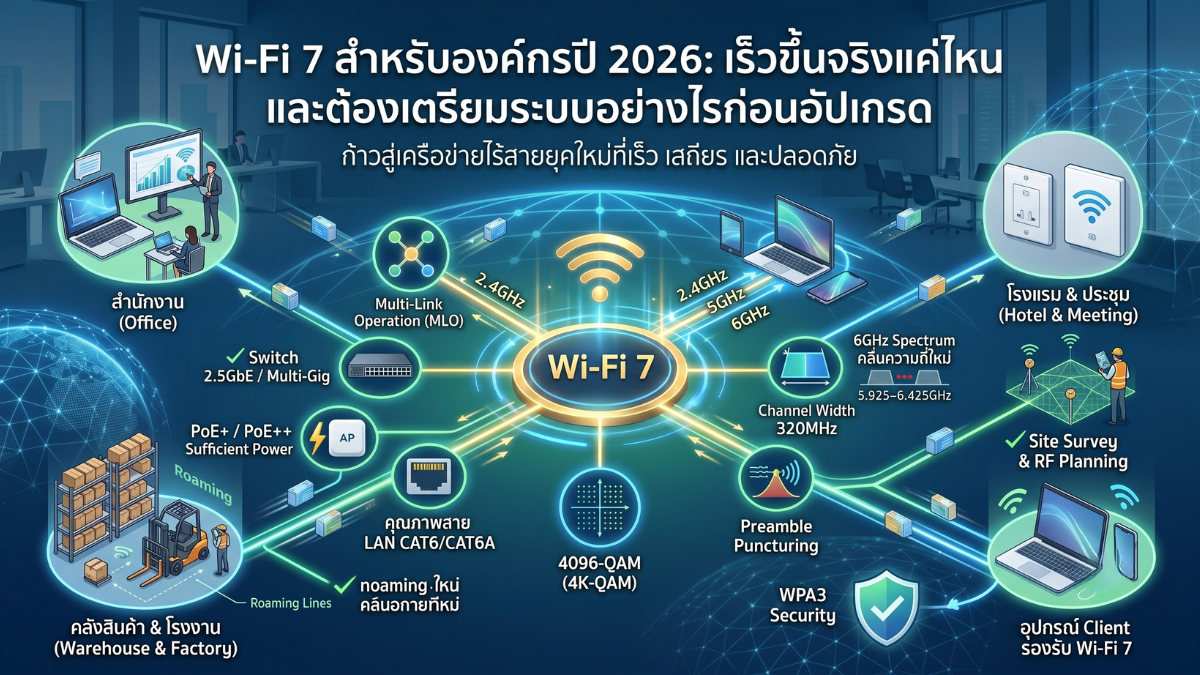
Ethernet Switch uses RJ-45 ports to connect LAN cables. It is a type commonly found in homes and organizations. The popular speed is 1GbE, and now 2.5GbE is increasingly available to support Wi-Fi 6, Wi-Fi 6E, Wi-Fi 7, NAS, and workstations that require higher speeds.
Multi-Gigabit Switch
Multi-Gigabit Switch supports speeds greater than 1GbE, such as 2.5GbE or 10GbE over LAN cables. It is suitable for organizations that want to increase speed without having to switch entirely to fiber.
Suitable for
- Access Point Wi-Fi 6 / Wi-Fi 7
- NAS or File Server
- Video work or large file workstation
- Uplink between Switches
Fiber Switch / SFP / SFP+ Switch
Fiber Switch uses SFP or SFP+ ports for connection via fiber optic cables. It is suitable for long-distance connections, such as connecting buildings, connecting floors, connecting rack cabinets, or connecting a main switch to an end switch.
- SFP: Generally used for 1Gbps speed
- SFP+: Generally used for 10Gbps speed
- 25G SFP28: Used in high-level systems that require high-speed Backbone or Core
PoE Switch
PoE Switch or Power over Ethernet Switch can supply electricity and transmit data through a single LAN cable to end devices such as Access Points, IP Cameras, IP Phones, or IoT devices, making installation easy and reducing the hassle of wiring.
| Standard | Approximate Power per Port | Suitable Device Examples |
|---|---|---|
| PoE | Up to approximately 15.4W | IP Phone, some cameras, small APs |
| PoE+ | Up to approximately 30W | Access Point, IP Camera, some PTZs |
| PoE++ | Up to approximately 60W or 90W depending on standard and device model | Wi-Fi 7 AP, PTZ Cameras, high-power devices |
Things to consider: In addition to the number of PoE ports, you also need to look at the Total PoE Budget of the switch, because even if there are many ports, if the total power is insufficient, some devices may not operate stably.
4. Types of Switches According to Their Role in the Network
Access Switch
Access Switch is a switch that connects to endpoint devices, such as computers, access points, IP cameras, printers, or IP phones. It is the point where users connect to the network system.
Features that should be included
- Sufficient number of ports
- PoE/PoE+/PoE++ if using AP or cameras
- VLAN
- QoS
- Loop Prevention
- Uplink 1G / 10G depending on system size
Distribution / Aggregation Switch
Distribution Switch or Aggregation Switch functions to aggregate Traffic from multiple Access Switches and then forward it to the main Switch, Gateway, or Server. It is suitable for organizations with multiple floors, multiple buildings, or multiple zones.
Features that should be included
- High-speed uplink, such as 10G SFP+
- Supports a large number of VLANs
- Supports LACP / Link Aggregation
- Supports Routing or L2+ / L3 according to system structure
- Highly stable
Core Switch
Core Switch is the main switch of a network system. It functions as a backbone, supporting a large amount of traffic from various parts of the organization. A switch with high performance, sufficient uplink, redundancy, and support for enterprise-level features should be chosen.
Suitable for: Medium to large organizations, hotels, schools, factories, office buildings, and systems with multiple Access Switches
5. What is TP-Link Omada?
TP-Link Omada is a network system for businesses that combines Gateway, Switch, Access Point, and Controller into a single system, making it easier for administrators to manage network devices centrally.
Omada is suitable for small to medium-sized businesses, such as shops, restaurants, offices, small hotels, schools, clinics, warehouses, or organizations that need a network system that is easy to manage and can be expanded in the future.
Highlights of Omada
- Managed through Omada Controller
- Integrates AP, Switch, and Gateway in one system
- Supports VLAN, Guest Network, Captive Portal, and Multi-SSID
- Switch options include 1G, 2.5G, 10G, Fiber, PoE, and PoE++
- Suitable for business Wi-Fi systems
- Supports multi-site management for businesses with multiple branches
6. What does the current Omada Switch lineup include?
Currently, Omada Switches are divided into several groups according to roles and usage levels, ranging from small-scale work, CCTV work, high-speed Wi-Fi, to large enterprise systems that require Core, Aggregation, Fiber, 10G/25G, and high-power PoE.
When choosing an Omada Switch, you should look at which group the model belongs to and what role it is suitable for in the network, such as a switch for end-user devices, a switch for traffic aggregation, a switch for Wi-Fi 7, or a switch for industrial environments.
1. Campus Switches
Campus Switches are high-level switches for large organizations, educational institutions, campuses, hotels, factories, or systems that require a high-performance backbone. They support high-speed connections such as 10G and 25G, including a large PoE budget in some models.
Highlights
- Suitable for Core / Backbone of large-scale systems
- Supports 10G and 25G in some models
- Supports high PoE Budget in PoE models
- Supports advanced features such as Physical Stacking and advanced Layer 3
- Suitable for systems that require reliability and future scalability
Suitable for: campuses, schools, universities, large hotels, factories, office buildings, and large organizations
2. Aggregation Switches
Aggregation Switches are switches used to aggregate traffic from multiple access switches and then forward it to the core, gateway, server, or main systems. They are suitable for tasks that require a large number of fiber ports and high-speed uplinks.
Highlights
- Focus on Fiber ports for system integration
- Suitable for the Aggregation layer of the network
- Supports high-speed Uplink
- Suitable for connections between Rack cabinets, between floors, or between buildings
Suitable for: Multi-story buildings, multi-Rack systems, hotels, schools, factories, and offices with multiple Access Switches
3. Access Max Switches
Access Max Switches are a group of switches for high-level access tasks that require high-speed ports, focusing on 10G ports for use with high-performance Access Points, such as flagship-level Wi-Fi 7, or endpoint devices that require very high bandwidth.
Highlights
- Focus on 10G ports for high-speed endpoint devices
- Suitable for high-level Wi-Fi 7
- Ideal for Workstations, NAS, or Servers that require high bandwidth
- Helps reduce bottlenecks from endpoint devices to the main system
Suitable for: High-performance Wi-Fi 7, video editing, high-speed NAS, workstations, and organizations that require 10G to the access point
4. Access Pro Switches
Access Pro Switches are a group of switches for access applications that require speeds higher than Gigabit, focusing on 2.5G Multi-Gigabit ports and supporting PoE++ in some models. They are suitable for use with Wi-Fi 6 and Wi-Fi 7, from entry-level to mid-range models.
Highlights
- Supports 2.5G Multi-Gigabit
- Supports PoE++ in some models
- Suitable for new Access Point models that require more power and bandwidth
- Suitable for upgrading Wi-Fi systems from 1G to 2.5G
Suitable for: offices, restaurants, hotels, schools, and Wi-Fi 6 / Wi-Fi 7 systems that require 2.5G and high-power PoE.
5. Access Plus Switches
Access Plus Switches are a group of switches for access work that have high user density. They typically have a large number of 1G ports, along with 10G uplinks to help reduce uplink bottlenecks from the access switch to the main switch.
Highlights
- Suitable for Edge or Access work with a large number of devices
- Has a 10G Uplink for sending data back to the main Switch
- Suitable for offices with a high density of users
- Suitable for LAN systems, CCTV, and multiple Access Points
Suitable for: offices, schools, hotels, shops, or buildings that require a large number of 1G ports and 10G uplinks
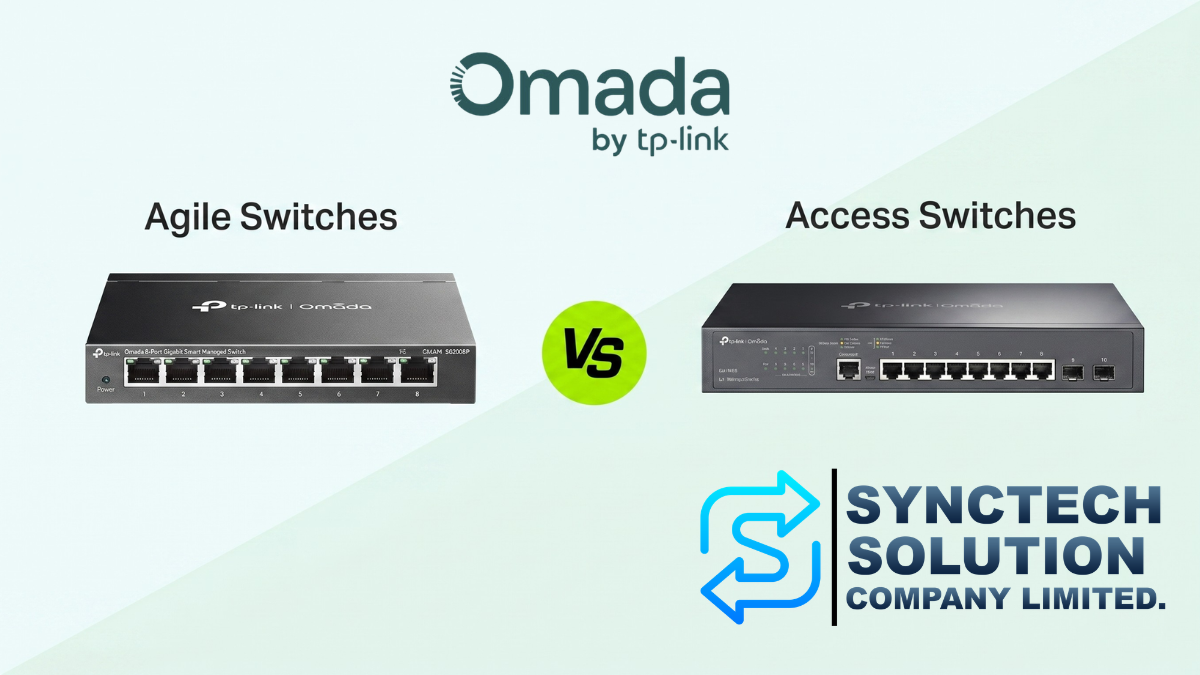
6. Access Switches
Access Switches are a group of switches used to connect common end devices such as computers, printers, access points, IP cameras, or IP phones. They are suitable for SMBs that need a cost-effective and reliable Gigabit Ethernet system.
Highlights
- Gigabit Ethernet is cost-effective
- Suitable for general LAN systems
- Available in both PoE and non-PoE models according to usage
- Suitable for SMBs that need a Managed Switch within a reasonable budget
Suitable for: Advanced homes, home offices, shops, small to medium offices, and general LAN systems
7. Agile Switches
Agile Switches are a group of switches designed to upgrade from Unmanaged Switches to a system that can be managed via the Cloud more easily. They are suitable for users who want easy installation, remote maintenance, and convenient troubleshooting.
Highlights
- Easy to install
- Suitable for upgrading from an Unmanaged Switch
- Supports Cloud Management
- Suitable for CCTV systems and small-scale systems
- Makes it easier to maintain and monitor the network remotely
Suitable for: Shops, small offices, CCTV systems, networks that require Cloud Management but do not need high complexity
8. Industrial Switches
Industrial Switches are switches for rugged environments, such as factories, warehouses, outdoor systems, or areas with high/low temperatures, dust, humidity, or electrical interference.
Highlights
- Designed for harsh environments
- Suitable for industrial applications
- Supports DIN-rail or wall-mount installation
- More durable than standard office switches
- Ideal for areas that require long-term stability
Suitable for: factories, warehouses, outdoor camera systems, industrial control systems, and specialized installation areas
7. Omada Switch Group Summary Table
| Switch Group | Highlights | Suitable for Work |
|---|---|---|
| Campus | 10G/25G, High PoE Budget, Advanced Layer 3, Stacking | Core / Backbone / Large Organization / Campus |
| Aggregation | Many Fiber ports, high-speed Uplink | Combine Traffic from multiple Access Switches |
| Access Max | 10G port for high-speed endpoint devices | High-end Wi-Fi 7 / Workstation / NAS |
| Access Pro | 2.5G Multi-Gigabit, PoE++ | Wi-Fi 6 / Wi-Fi 7 / High-power AP |
| Access Plus | Many 1G ports with 10G uplink | Dense user office / LAN system / cameras |
| Access | Gigabit Ethernet, cost-effective, easy to use | SMB / Shops / General offices |
| Agile | Upgrade from Unmanaged to Cloud Managed | Small system / CCTV / Remote maintenance |
| Industrial | Durable in environmental conditions, DIN-rail / Wall-mount | Factory / Warehouse / Industrial work |
8. Key Features to Know in Switches for Organizations
VLAN
VLAN is used to separate networks into groups such as Main LAN, Guest Wi-Fi, CCTV, IoT, Server, or Management, helping to increase security and reduce broadcast within the system
QoS
QoS (Quality of Service) is used to prioritize traffic such as VoIP, Video Conference, or camera systems to ensure that important services operate reliably.
STP / RSTP
Spanning Tree Protocol helps prevent loops in a network system, which could cause system failure or a broadcast storm.
Link Aggregation
Link Aggregation or LACP is used to combine multiple ports to work together, in order to increase bandwidth or enhance the resilience of the uplink between switches.
ACL
Access Control List is used to determine which devices or networks can communicate with each other. It is suitable for systems that require security control, such as preventing Guests from accessing the Server.
802.1X
802.1X is used for authentication before connecting to a network. It is suitable for organizations that want to control who can plug in a LAN cable and use the network.
9. Choose a Switch Suitable for Use
| Usage Type | Recommended Switch Group | Features That Should Be Included |
|---|---|---|
| Small Home / Office | Unmanaged, Access or Agile | 1GbE, Plug & Play or Basic Cloud Managed |
| Store / Restaurant | Access, Agile or Access Plus | PoE, VLAN, Omada Controller, supports AP and cameras |
| Small to medium-sized office | Access Plus or Access Pro | VLAN, QoS, STP, 10G Uplink, Centralized Management |
| Wi-Fi 6 / Wi-Fi 7 System | Access Pro or Access Max | 2.5GbE, 10GbE, PoE+/PoE++, 10G Uplink |
| IP Camera CCTV System | Agile, Access or Access Plus | Sufficient PoE Budget, CCTV VLAN, Cloud Monitoring, Appropriate Uplink |
| NAS / Server / Workstation | Access Max or Aggregation | 2.5G/10G, SFP+, Link Aggregation |
| Multi-floor / Multi-building Organization | Aggregation + Access / Access Plus | 10G SFP+, Fiber, L3, Redundancy, Central Management |
| Campus / Large Hotel / Large Organization | Campus + Aggregation + Access | 10G/25G, Stacking, Advanced Layer 3, High PoE Budget |
| Factory / Warehouse / Harsh Environment Area | Industrial | DIN-rail, Wall-mount, Resistant to Environmental Conditions |
10. Examples of Network Design with Omada
Restaurant / Cafe
- Gateway for Internet access
- Access or Agile Switch for general LAN devices
- PoE Switch to provide power to Access Points and IP cameras
- Multiple Access Points for customers and staff
- Separate VLANs for Staff, Guest Wi-Fi, POS, and CCTV
- Managed through Omada Controller
Small to Medium Office
- Main Switch for connecting Server and NAS
- Access Plus or Access Pro for computers and Access Points
- PoE Switch for IP Phones, APs, and cameras
- Use VLAN to separate departments such as Admin, Sales, Guest, CCTV, Server
- Use 10G Uplink between Switches if there is high traffic
Hotels / Schools / Multi-story Buildings
- Use an Aggregation Switch with 10G SFP+ to aggregate traffic from each floor
- Use an Access Switch per floor or per building
- Use a PoE Switch for Access Points and cameras
- Use Fiber to connect between buildings or between racks
- Manage through Omada Controller
Campus / Large Organization
- Use Campus Switch as Core or Backbone
- Use Aggregation Switch to combine traffic from each building
- Use Access Pro, Access Plus, or Access Switch for endpoint devices
- Design VLAN, ACL, Routing, and Redundancy suitable for each zone
- Use Controller to manage devices from multiple sites centrally
11. Checklist Before Buying a Switch
- How many ports are needed, and how many should be allocated for future use?
- Is 1G, 2.5G, 10G, or 25G speed required?
- How many PoE devices are there, such as APs, Cameras, IP Phones?
- Is the total PoE budget sufficient?
- Is a 10G or SFP+ uplink required?
- Is 25G needed for the Core or Backbone?
- Is VLAN required to separate networks?
- Is management through the Omada Controller needed?
- Are there NAS, Servers, or Workstations that require high bandwidth?
- Is fiber connection between buildings necessary?
- Is a system supporting Wi-Fi 6 / Wi-Fi 7 required?
- Will it be installed in an air-conditioned room, a rack cabinet, or an industrial area?
Summary
Network Switch is an essential device that directly affects the speed, stability, and security of a network system. Therefore, choosing a Switch should not be based solely on the number of ports, but should also consider port speed, PoE budget, VLAN, uplink, management capabilities, and future system expansion.
For a small home or office, you might use an Unmanaged, Access, or Agile Switch, but for businesses with Access Points, CCTV cameras, NAS, Servers, or multiple VLANs, you should choose a Managed Switch that can be managed through a Controller, such as TP-Link Omada
If it is a hotel, school, factory, multi-story building, or an organization that requires a high-performance network system, you should choose a switch according to its role, such as Access for end devices, Aggregation for combining traffic, Campus for Core/Backbone, Access Pro or Access Max for Wi-Fi 6/Wi-Fi 7, and Industrial for harsh environment areas.
Need expert advice or would like to request a quotation? Contact us today:
E-mail: [email protected]
LINE Official: @sync.co.th

The Company reserves the right to correct any typographical or printing errors and shall not be held liable for any inaccuracies resulting from such errors.
*** This article is the intellectual property of SyncTech Solution Company Limited. Reproduction, modification, or redistribution of this content, in whole or in part, is strictly prohibited without prior written permission from the Company. ***