In an era where data is the core of business operations, protecting data from damage, cyber attacks, or unexpected accidents is an important mission that every organization must prioritize. Having a reliable, easily manageable backup system that can actually be restored is therefore a crucial factor that helps businesses operate continuously.
What is Synology Active Backup Suite?
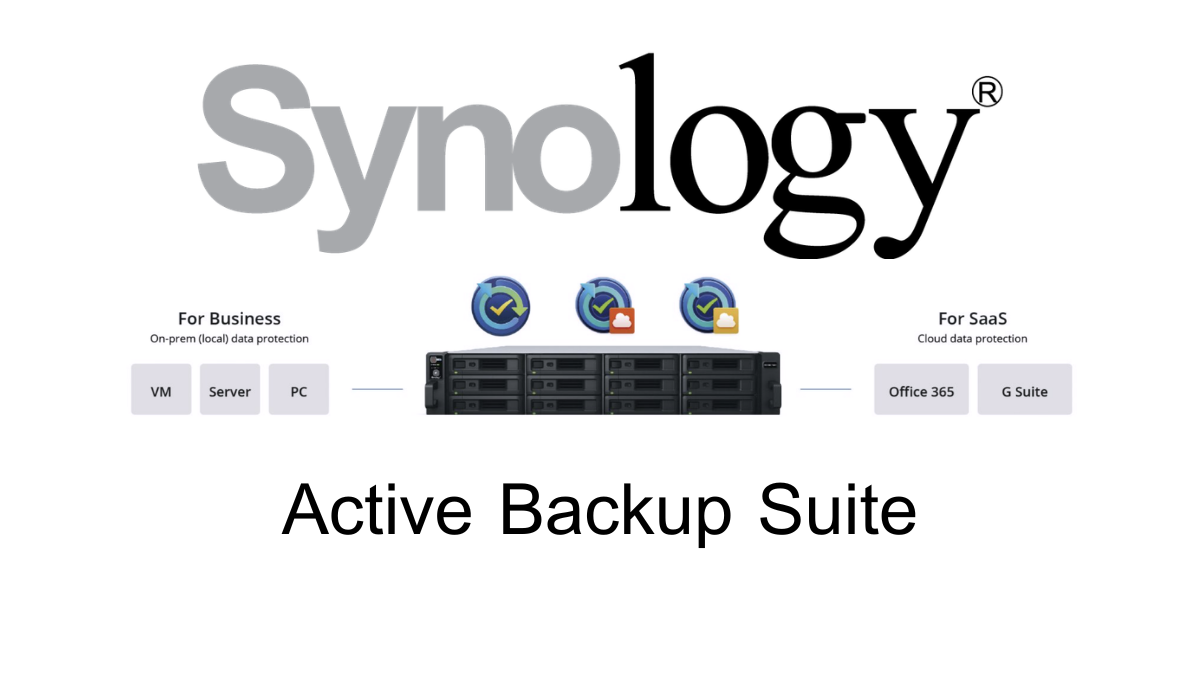
Synology Active Backup Suite is a group of backup solutions from Synology that combines key packages such as Active Backup for Business, Active Backup for Microsoft 365, and Active Backup for Google Workspace to help organizations back up data from Windows and Mac computers, physical servers, file servers, virtual machines, Microsoft 365, and Google Workspace centrally on a Synology NAS.
- Active Backup for Business: For backing up PCs, Macs, Physical Servers, File Servers, VMware vSphere, and Microsoft Hyper-V
- Active Backup for Microsoft 365: For backing up Exchange Online, OneDrive for Business, SharePoint Online, and Microsoft Teams
- Active Backup for Google Workspace: For backing up Gmail, Google Drive, Shared Drives, Contacts, and Calendar
The highlight of the Active Backup solution family is that it can work with supported Synology NAS devices without requiring additional license fees, helping organizations reduce costs for backup software. It also provides key features such as centralized backup, deduplication, incremental backup, bare-metal recovery, and various types of data recovery.
What does Synology Active Backup support?
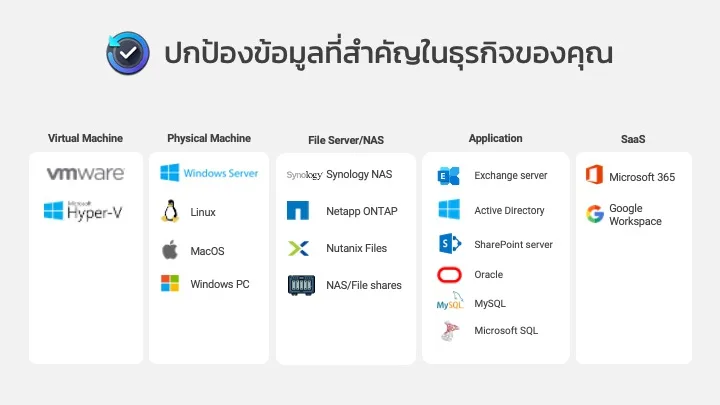
Currently, Synology's Active Backup solution supports multiple types of data backup, covering endpoint devices, physical servers, file servers, virtualization systems, and cloud services such as Microsoft 365 and Google Workspace.
- Windows computer
- Mac computer
- Windows Physical Server
- Linux Physical Server
- File Server via SMB and rsync
- Virtual Machine on VMware vSphere
- Virtual Machine on Microsoft Hyper-V
- Microsoft 365 such as Exchange Online, OneDrive for Business, SharePoint Online, and Microsoft Teams
- Google Workspace or formerly G Suite, such as Gmail, Google Drive, Shared Drives, Contacts, and Calendar
Therefore, Synology Active Backup is not only suitable for organizations that use Windows or internal Servers, but it is also suitable for organizations that use Cloud Collaboration such as Microsoft 365 and Google Workspace alongside their internal IT systems.
Why do Microsoft 365 and Google Workspace still need to be backed up?
Many organizations believe that when using Cloud services like Microsoft 365 or Google Workspace, data will be safe and there is no need for additional backups. However, in reality, Cloud providers are mainly responsible for the availability of the system. Risks such as user-deleted data, misconfigurations, account attacks, or accidental file deletions are still risks that organizations must manage themselves.
Examples of risks that can still occur, such as
- An employee accidentally deleted important emails or files
- The user account was hacked and the information was deleted or modified
- Data in OneDrive, SharePoint, or Google Drive is deleted after employees resign
- Important emails were deleted beyond the period that the Cloud system can recover.
- Ransomware encrypts files that are synced with Cloud Storage
- The organization must retain historical data for audit or compliance purposes.
Backing up Microsoft 365 and Google Workspace to Synology NAS helps organizations have an additional copy of their data under their own control and be able to recover data in case of an error.
What is Active Backup for Business?
Active Backup for BusinessIt is a package for backing up devices and internal organizational systems, such as PCs, Macs, Physical Servers, File Servers, and Virtual Machines. Administrators can manage Backup tasks centrally through Synology NAS.
ABB is suitable for organizations that want to protect data from employee devices, internal servers, virtualization systems, and file servers without having to purchase backup software with additional per-device or per-VM license fees.
What is Active Backup for Microsoft 365?
Active Backup for Microsoft 365It is a free add-on package for Synology NAS that helps back up an organization's Microsoft 365 data to the NAS centrally, supporting the backup of critical services such as Exchange Online, OneDrive for Business, SharePoint Online, and Microsoft Teams.
Data that can be backed up, such as
- Email, mailbox, folders, and attachments in Exchange Online
- Contacts and Calendar
- Files in OneDrive for Business
- Site and Document Library in SharePoint Online
- Some information of Microsoft Teams such as Channel posts, Team settings, Standard channels, and files stored in SharePoint
The highlight is that it can back up Microsoft 365 accounts according to the storage space available on the NAS without additional per-user license fees. It is suitable for organizations that want to keep copies of Microsoft 365 data within the company or in systems controlled by the organization.
What is Active Backup for Google Workspace?
Active Backup for Google WorkspaceOr the former name that many people are familiar with is Active Backup for G Suite, which is a free add-on package for Synology NAS that helps back up data from Google Workspace to the organization's NAS.
Data that can be backed up, such as
- Gmail
- Google Drive
- Shared Drives
- Contacts
- Calendar
Active Backup for Google Workspace has a centralized management system that supports searching and data recovery through the Portal, helping organizations reduce the risk of accidental data deletion or data loss in Google Workspace accounts.
Key features of Active Backup for Business
- Manage Backup from a central location
Administrators can create backup jobs, check status, set schedules, and view the history of all backups from a single web interface, helping to reduce the complexity of managing backups on multiple machines. - Backing up Windows PC and Mac is easier
For Windows and Mac computers, administrators can install the Active Backup for Business Agent to back up the entire system, including the operating system, applications, settings, and work files. In case of issues such as hardware failure, data loss, or ransomware attacks, data can be quickly restored. - Supports Windows Server and Linux Server
ABB supports backup of physical servers on both Windows and Linux using an Agent to help protect the operating system, applications, and important server data. It is suitable for organizations that still have physical servers in their systems. - Agentless VM backup
For virtualization systems such as VMware vSphere and Microsoft Hyper-V, ABB can back up VMs agentlessly without the need to install an agent on each VM. This helps reduce maintenance burdens and makes managing backups for multiple VMs easier. - Supports File Server via SMB and rsync
ABB can back up data from File Servers accessed via SMB or rsync. It is suitable for organizations that already have existing file servers and want to retrieve data to back up on a Synology NAS to enhance security. - Global Deduplication helps save storage space
ABB has Global Deduplication technology that helps reduce redundant data, where identical data or data blocks are stored only once, saving significant space on NAS, especially in organizations with many computers and similar operating systems or program files. - Incremental Backup and Changed Block Tracking
ABB uses a method of backing up only the data that has changed since the previous cycle. This helps reduce the amount of data that needs to be transmitted over the network, decreases backup time, and allows daily backups to be completed more quickly. - Data can be recovered at multiple levels
ABB supports multiple forms of data recovery, such as full machine recovery (Bare-metal Restore), individual file recovery, VM recovery, and Instant Restore in certain cases, allowing organizations to choose the recovery method suitable for the situation. - Self-service Restore reduces the burden on the IT team
Users can manually recover certain files through the Recovery Portal according to the assigned permissions, helping to reduce the IT team's workload in cases where users accidentally delete files or need to revert to a previous version of a file. - There is no additional license fee for ABB
When used on Synology NAS models that support ABB, it can be used without having to purchase an additional Backup license like many other backup solutions, making it suitable for organizations that want to control long-term costs.
Highlights of Active Backup for Microsoft 365 and Google Workspace
- Back up Cloud data to the organization's NAS
Helps organizations have copies of Microsoft 365 and Google Workspace data in self-controlled storage locations, reducing the risk of relying on a single cloud source. - Accounts can be backed up according to available storage space
Synology stated that these packages are free add-ons and accounts can be backed up according to the storage space on supported NAS, allowing organizations to control costs effectively. - Support search and recovery through the Portal
Administrators or users with permissions can search for emails, files, or historical data and conveniently restore them to the desired location. - Support Retention and Audit policies
Suitable for organizations that need to store historical data for auditing purposes or have data retention requirements, such as important documents, business emails, or project files. - Reduce the risk from human error and ransomware
If a user deletes data by mistake, or files in the Cloud are encrypted by ransomware, the organization still has a copy of the data on the NAS that can be used for recovery.
Compare Synology's Active Backup packages
| Package | What type of data is it suitable for? | Example of data that can be backed up |
|---|---|---|
| Active Backup for Business | Equipment and systems within the organization | Windows PC, Mac, Windows/Linux Server, File Server, VMware, Hyper-V |
| Active Backup for Microsoft 365 | Microsoft 365 information | Exchange Online, OneDrive for Business, SharePoint Online, Microsoft Teams |
| Active Backup for Google Workspace | Google Workspace / G Suite Information | Gmail, Google Drive, Shared Drives, Contacts, Calendar |
Things to know before using Synology Active Backup
Even though Synology Active Backup is a cost-effective solution, before using it, you should check the system's readiness to ensure it is suitable, because backing up a large amount of data requires considerable NAS resources and storage space.
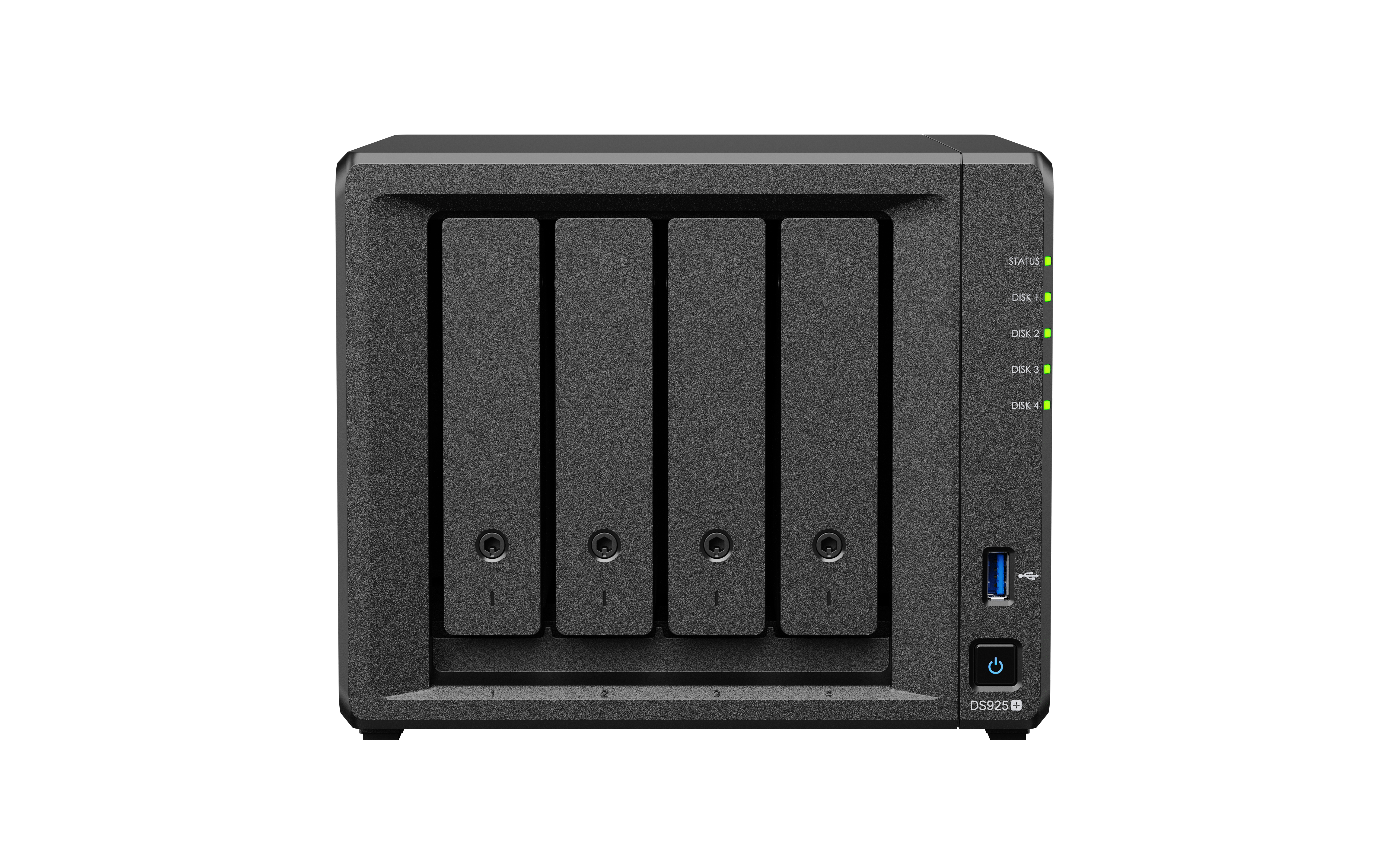
- You should use a Synology NAS model that supports the desired Active Backup package.
- You should use a Volume with the Btrfs file system to fully utilize all important features.
- You should check the number of devices, users, or Cloud accounts that need to be backed up
- Storage space should be calculated separately and clearly for PC, Server, VM, Microsoft 365, and Google Workspace.
- You should set a Retention Policy to control the number of previous versions.
- There should be a second backup set going to another NAS or the Cloud according to the 3-2-1 Backup principle.
- If it is a critical system, restore testing should be done periodically, not just setting up backups and leaving it at that.
- For Microsoft 365 and Google Workspace, you should check Admin rights, API permissions, and organizational security policies before starting use.
The key point is that a good backup is not just about being able to 'back up,' but it must be 'actually recoverable,' and recovery tests should be conducted regularly to ensure that the system is ready for use in the event of a real incident.
Benefits of using Synology Active Backup
- Increase confidence in data security
Having a comprehensive backup system allows organizations to ensure that important data is securely copied and stored. In case of mishaps, such as ransomware, hardware damage, or user errors, important data can be recovered. - Reduce downtime and increase productivity
When the system has problems, the ability to quickly recover data helps users get back to work faster, reduces business downtime, and lowers hidden costs from work stoppages. - Reduce IT management burden
Synology's Active Backup solution helps consolidate backups from multiple platforms into a single system, whether it's PC, Mac, Server, File Server, VM, Microsoft 365, or Google Workspace, making backup management standardized. - Able to control costs well
Since Synology's main Active Backup package is a free add-on on supported NAS, organizations can protect data from multiple machines, multiple accounts, and multiple systems by primarily investing in Synology NAS and storage space. - Support business growth
As the business grows and data increases, Synology Active Backup can scale backup according to the size of the NAS and available storage, with deduplication technology that helps reduce space usage. - Suitable for businesses that use Hybrid IT
Many organizations use both on-premises systems and the Cloud together, such as having internal PCs/Servers, using VMs, and using Microsoft 365 or Google Workspace simultaneously. Therefore, Synology Active Backup is well-suited for hybrid backup solutions.
Additional Update: ActiveProtect Appliance for Large Enterprises
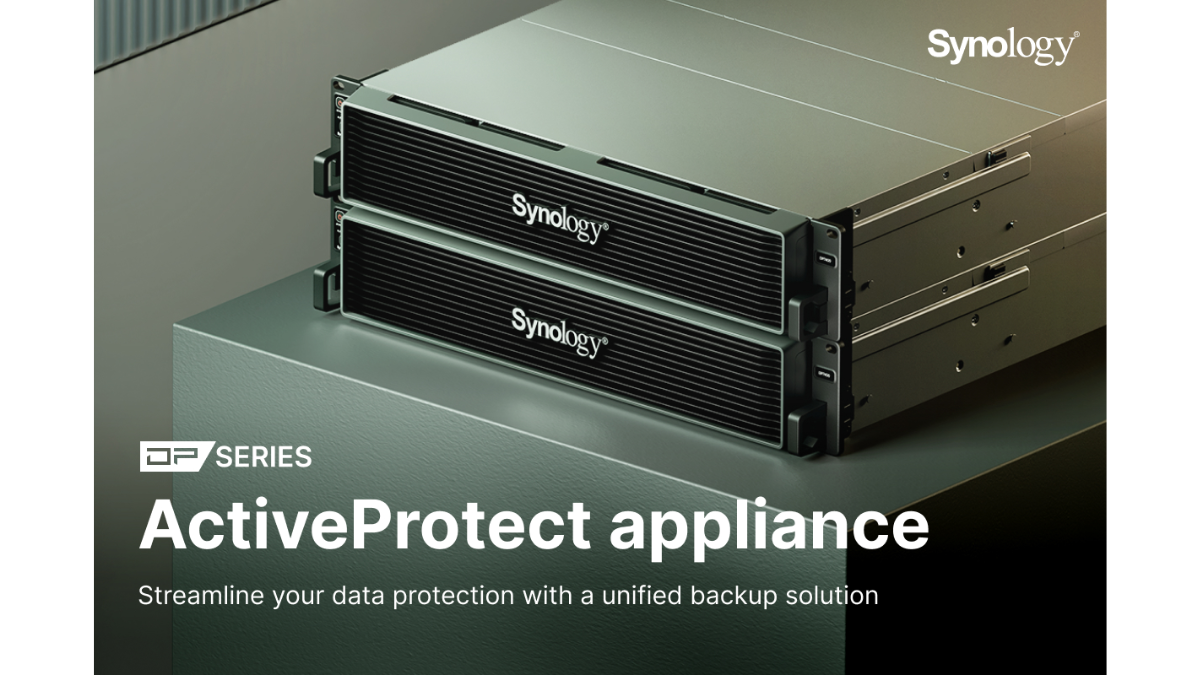
In addition to the Active Backup package on Synology NAS, Synology also has a new solution in the group ActiveProtect ApplianceFor organizations that need a complete enterprise-level backup system, integrating hardware, backup software, and management systems into a single device.
ActiveProtect is suitable for organizations with multiple sites, large amounts of data, or those that require advanced security, such as Immutable Backup, WORM, Air-gap, Backup Verification, Disaster Recovery Drill, and centralized management of Backup Infrastructure.
The highlight of ActiveProtect is that it helps elevate from ordinary data backup to the concept ofCyber ResilienceOr the ability to prevent and recover from cyber threats, especially ransomware and attacks aimed at destroying backup data.
What is the difference between Active Backup and ActiveProtect?
| Topic | Active Backup on Synology NAS | ActiveProtect Appliance |
|---|---|---|
| pattern | Add-on package on Synology NAS | Prebuilt Backup Appliance |
| suitable for | SMB, Office, General Business, Hybrid IT | Medium-large organizations, multiple sites, Enterprise-level work |
| Supporting information | PC, Mac, Server, VM, File Server, Microsoft 365, Google Workspace | Large organizational workload and complex backup environment |
| Investment | Invest in NAS and storage space | Invest in dedicated Backup Appliance equipment |
| Cyber Resilience | Can be done in conjunction with Snapshot, Replication, Off-site Backup, and proper system design | There are enterprise-level features such as Immutable Backup, Air-gap, Backup Verification, and DR Drill |
| Multi-site management | Suitable for single-site or multi-site of uncomplicated size | Designed for managing backups of multiple sites and large workloads |
In simple summary,Active BackupOn Synology NAS, it is very suitable for organizations that need a cost-effective backup system, covering both internal machines and Cloud SaaS.ActiveProtectSuitable for organizations that require an Enterprise-level data protection system with advanced security and recovery features
Guidelines for Setting Up a Backup System
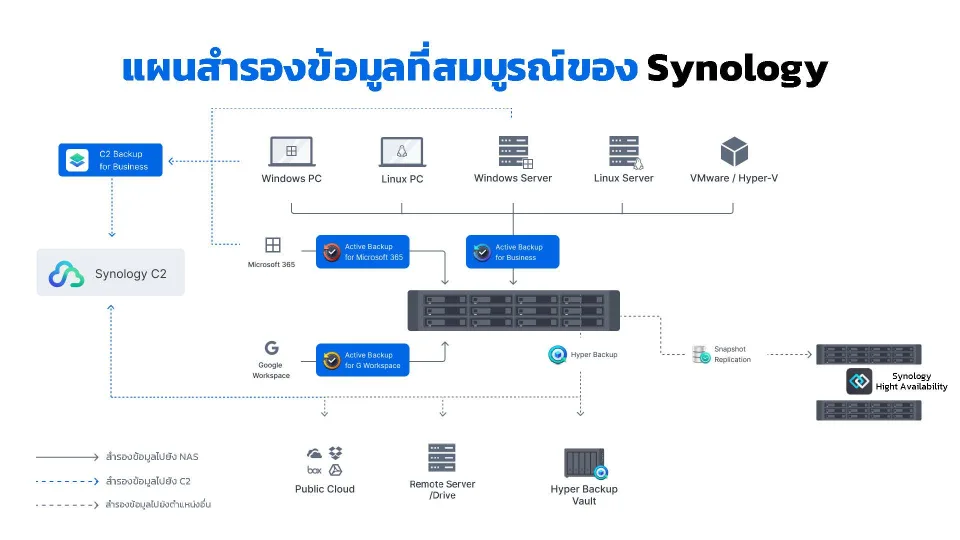
To make the backup system more secure, the organization should not store backup data in only one set on a single NAS, but should plan according to the principle3-2-1 Backup
- There are at least 3 sets of data, including actual data and backup data.
- Store data on at least 2 types of media or devices
- There is at least one backup set offsite or on the cloud.
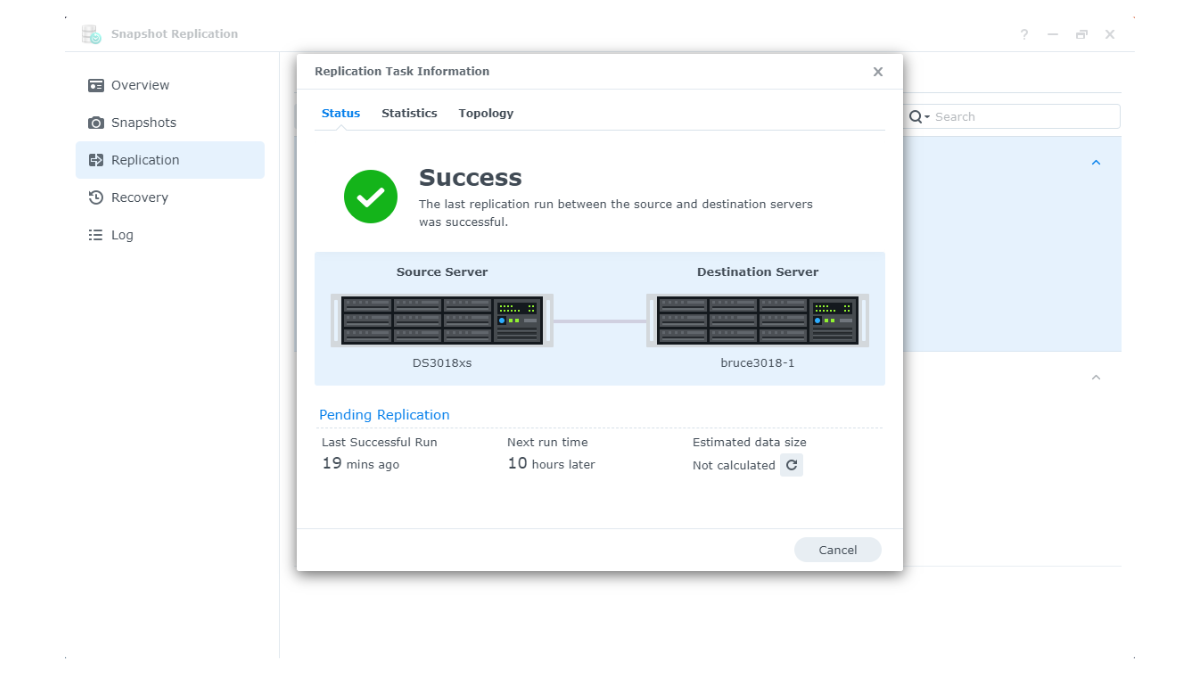
For Synology, it can be designed to work together with other tools such as Snapshot Replication, Hyper Backup, C2 Storage, or another off-site NAS to increase protection against disasters, fire, flood, theft, or ransomware.
Conclusion
Synology Active Backup is a group of backup solutions suitable for modern organizations because it helps protect data from various risks, reduces IT system management burdens, and effectively controls costs, especially for organizations that already use Synology NAS or are looking for a backup system that does not require additional software license fees.
Active Backup for Business is suitable for backing up PCs, Macs, Servers, File Servers, and VMs, while Active Backup for Microsoft 365 and Active Backup for Google Workspace are suitable for organizations that want to protect Cloud SaaS data such as emails, files, calendars, and collaboration data in the Cloud system.
For organizations using Microsoft 365 or Google Workspace, having a separate backup on the organization's NAS increases confidence, reduces the risk of accidental data deletion, account attacks, or data being encrypted by ransomware, and allows the organization to have backup data that it can control itself.
However, for large organizations or systems that require advanced Cyber Resilience, such as Immutable Backup, Air-gap, Backup Verification, and multi-site management, Synology ActiveProtect Appliance should be considered as an additional option to elevate the backup system to be ready for future cyber threats.
Therefore, the choice of use should be considered based on the size of the organization, the number of machines or accounts that need backup, the importance of the system, the downtime the business can tolerate, and the overall budget. If you want a cost-effective and easy-to-manage backup system, Active Backup on Synology NAS is a good option. However, if you need an enterprise-level backup system that is ready to handle ransomware and serious recovery, ActiveProtect is an option worth further consideration.
Need expert advice or would like to request a quotation? Contact us today:
E-mail: [email protected]
LINE Official: @sync.co.th

The Company reserves the right to correct any typographical or printing errors and shall not be held liable for any inaccuracies resulting from such errors.
*** This article is the intellectual property of SyncTech Solution Company Limited. Reproduction, modification, or redistribution of this content, in whole or in part, is strictly prohibited without prior written permission from the Company. ***